
In brief
- The best turntable overall is the Rega Planar 3 RS Edition, thanks to its "rhythmically precise and dynamically exciting" performance.
- The best budget turntable is the Award-winning Pro-Ject Primary E, as it nails the basics sonically.
- Other models that fulfil the brief of what's a good turntable include the Pro-Ject T1 Evo BT (best Bluetooth), Technics SL-1300G (best premium) and the Audio-Technica AT-LP5x (best USB).
We're barely into the first third of the year, and we've already had a bunch of new turntables launching from big brands. Audio-Technica, Pro-Ject, Rega, Sony and Technics have all announced fresh turntables, proving that vinyl's popularity shows no sign of abating.
What Hi-Fi? has been reviewing turntables ever since we started in 1976, so we know just how tricky – and rewarding – buying the right turntable is. Our guide to the best turntables we've tested and expert advice below should help you sift through the many turntables out there to find which is the best fit for your listening needs and budget.
Today’s turntables (or record players) are arguably more varied than they were during vinyl’s heyday in the 70s and 80s: from high-quality purist models that prioritise sound quality to feature-packed, Bluetooth models designed for convenience all vying for your attention. There's even a couple with a CD player built-in!
Whether you’re in the market for your first record player or are looking to take your vinyl listening to the next level with a more premium upgrade, we’re here to help.
Every model in our curated list below has been thoroughly tested by our team of experts – we've listened to each deck for many days, and with a wide variety of vinyl records. This guide covers all types and budgets, and also includes advice on how to choose the best turntable for you, so it should be helpful regardless of whether you're a complete vinyl newbie or a long-standing fan.
3rd March 2026: We're currently testing Audio-Technica's flagship turntable, while the two new Sony Bluetooth turntable are waiting in the wings. We've also updated the Coming Soon section with news of fresh turntable launches.

I have been testing, reviewing and listening to turntables ever since I joined What Hi-Fi? over a decade ago, and have been swept up by the vinyl revival. The best turntables will deliver rock-solid and precisely engineered build quality, be able to track a record's grooves accurately and deliver the best sound quality for the asking price. I have first-hand experience with every turntable in this guide and they all sound fantastic (and look good while doing so). So whether you have a strict budget or have plenty of fun money to spend, I'm confident you'll find something you'll love in the recommendations on this list.
The best turntables for every budget and type
Why you can trust What Hi-Fi? Our expert team reviews products in dedicated test rooms, to help you make the best choice for your budget. Find out more about how we test.
Best turntable overall
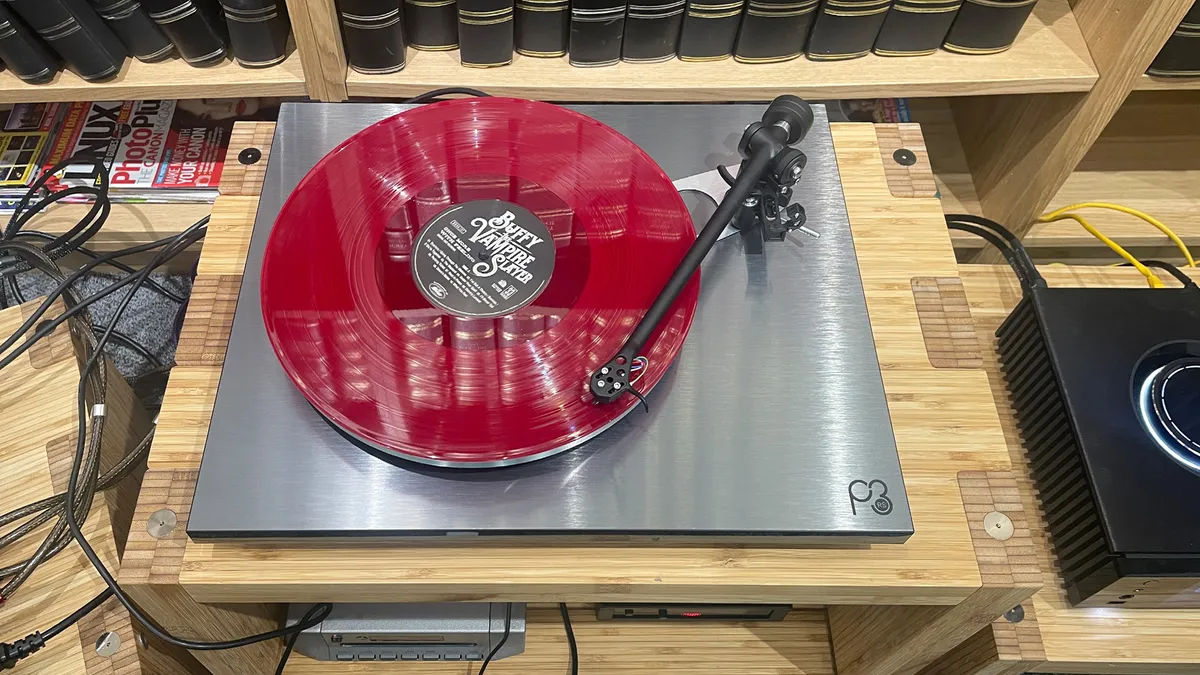


Rega's Planar 3 RS Edition isn't just our favourite overall turntable at the moment: it's current winner of our prestigious Product of the Year Award for turntables – emphasising its superb sound-per-pound value.
RS stands for ‘Rega Special’ but it’s not a limited-edition model. It's an upgraded version of the five-star Planar 3/Nd3 that improves on it in a number of meaningful ways without asking for too much extra cash in return.
There are three key upgrades. First, it comes equipped with the step-up Nd5 cartridge uses a higher-quality diamond stylus to deliver greater tracking accuracy and detail retrieval. Secondly, it comes with the external Neo PSU Mk2, which not only means you get a cleaner power supply feed to the deck’s motor, but also adds electronic speed switching so you don’t have to manually set the belt.
Finally, the MDF plinth is wrapped in a High Pressure Laminate (HPL) skin that’s usually only used on Rega’s very top-end models (from Planar 6 upwards).
Each part on its own offers fairly incremental improvements, but taken as a whole it elevates the entire performance, boosting everything we love about the standard Planar 3. The RS Edition sounds cleaner, more detailed, more muscular and offers an even greater sense of space and openness.
We said in our review: "There is a confidence and effortless quality to the way this turntable sounds compared with the standard Planar 3; the RS Edition locks every detail, every instrument, every vocal into place in an assured way that is admirable and wholly enjoyable."
Of course, it’s possible for original Planar 3 owners to add some of these upgrades themselves (at extra cost), but having changed the cartridge and power supply of our reference deck, it still couldn’t quite match the more confident and precise performance of the RS Edition. That bespoke HPL plinth is clearly key to its talents.
The Planar 3/Nd3's price has crept up too, so it's only a £159 difference between the two models in the UK – and the RS Edition's upgrades and performance are more than worth it.
So what’s the catch? Well, it’s only available in one finish, but when it’s this classy brushed aluminium, that’s quite alright by us.
Read the full Rega Planar 3 RS Edition
Best budget turntable


For those looking for a beginner turntable and have a small budget, but are interested in good quality sound, the Pro-Ject Primary E could be just the ticket. This deck doesn't have any extra features such as USB ripping, Bluetooth or automatic operation, but its purist design and wallet-friendly price are ideal for novices on their first step to proper vinyl obsession.
This long-running model remains the best cost-effective option around at its $299/£299 price point – which isn't a huge amount to pay for such a well-made deck that prioritises sound over features. It's no wonder we keep recommending it as our best budget record player for years now.
The Primary E confidently nails the basics, from an even tonal balance to a delivery that’s clear, clean and spacious enough to keep things coherent. There's ample body and substance to every frequency, and the lively drive and momentum keep us tapping our toes and enjoying every record we spin on it.
Entertainment is high on its mind, and we said in our original review: "Though it’s not capable of huge scale or reach, it sounds far away from being small or confined, too."
It's a basic, no-frills deck, but one that works smoothly and offers far better performance than you'd get with those more stylish, all-in-one, trendy-looking record players that don't respect your vinyl records as this Pro-Ject will.
As a starter turntable, it's impossible to beat at this budget price.
Read the full Pro-Ject Primary E review
Best budget turntable with phono stage

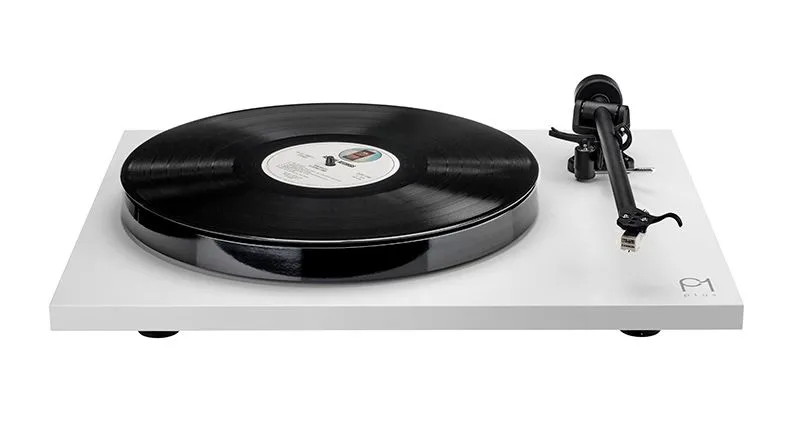

If you're after the purist quality of a Rega turntable but want the convenience of a built-in phono stage to minimise clutter (and costs), then look no further. This Rega Planar 1 Plus is essentially the brilliant five-star entry-level Rega Planar 1 turntable fitted with the equally five-star Rega Fono Mini A2D phono stage. Both have won Awards, and Rega thought it only felt natural to combine them together. We absolutely agree.
Rega hasn't just stuck on the Fono Mini A2D and called it a day; the USB section has been taken out entirely and this cost-saving has gone into improving the audio quality of the phono stage. This means that not only does the Planar 1 Plus package cost less than if you were to buy the two audio components separately, but it also sounds a tad cleaner and times better compared with the more muscular, powerful sound of the separates option.
The Plus 1 is built to the same exceptional standards as all Rega turntables, with clean minimal lines and a very fuss-free set up. The inclusion of the phono stage means you can plug this versatile Rega deck directly into a pair of powered or active speakers, or even a Sonos multi-room system, making for a very tidy little vinyl set up – perfect if you're short on space. A rival such as Audio Technica's AT-LPW50BTRW also offers an internal phono stage and even Bluetooth streaming into the mix, but the Rega can't be beaten when it comes to sound quality.
The Planar 1 Plus sounds brilliant. It may start off a little lean, but give it a bit more time and it will reveal a full-bodied and rhythmically exciting performance. Rega's hallmarks of subtlety, agility, dynamics and drive are all on display. It sounds beautifully clean and crisp, with guitar strums, drum beats and voices all sounding very tactile and realistic.
We said in our original review: "The 1 Plus has an open, spacious presentation, with plenty of separation between instruments and vocals laid out with very little effort. It’s also highly skilled in how it handles the high frequencies."
It's a fun listen and is so versatile too. There are plenty of new turntables on the market that offer the convenience of a built-in phono stage, but none of them can quite compete with the Rega Planar 1 Plus when it comes to pure sound fidelity at this price level. If you're after a stylish, streamlined, cost-effective turntable solution, start here.
Read the full Rega Planar 1 Plus review
Best mid-range turntable


Pro-Ject's latest in the Debut range borrows technology from the Award-winning Debut Pro (a two-time Product of the Year winner, too) and combines it with a lively, fluid and easy-going presentation that's very appealing at this mid-range level.
The Debut Evo 2 swaps out the old steel platter used in the Debut Carbon Evo for a heavy aluminium platter with a dense ring of Thermoplastic Elastomer (TPE) damping to help reduce unwanted resonances. The same TPE material can be found in the three feet to further help abate external vibrations affecting the deck. The Evo 2 comes with a new Pick-It MM Evo cartridge fitted, while the lightweight tonearm is mounted on a new precision-milled aluminium block with low-friction bearings.
Overall, the belt-drive design works smoothly and it's easy to set up and use. We like the three-way rocker switch under the plinth that controls power and electronic speed change; what we like even more is the variety of finishes and colours that the Evo 2 deck comes in.
Our review sample is a sleek, satin red wine, while other colours (fir green, steel blue, golden yellow) look just as stylish in the minimal design and make this Pro-Ject stand out from its more conventional rivals. There are 10 finishes overall, and we have to applaud Pro-Ject for offering so many attractive hues for new vinyl fans to choose from.
Sound-wise, the upgrades have worked their magic. The Debut Evo 2 has an immediately likeable sound, with a "beautifully fluid delivery and a particularly lovely and sweet-toned midrange" that works well with vocals and instruments. There's a level of detail and delicacy that's addictive to listen to.
At this price, the rival Rega Planar 2/Nd3 turntable will give you a more authoritative sense of drive and greater rhythmic precision, but the Evo 2 has a "lively, fleet-footed presentation that zips along merrily through every song – it’s an enthusiastic performer that just wants to have fun."
It's a clean, smooth and spacious presentation, with tautly pulled bass and sparkly highs, and there's enough heft and texture to the notes to sound satisfying. Its nimble nature means it can easily relay shifts in dynamics, pace and tone as we swap records from classical to heavy metal.
We'd like a touch more grip and muscle overall – and if you do too, you can buy a couple of upgrades that fundamentally improve the Evo 2's performance. Swap out the standard power supply for the High Power it 2 fully grounded power supply (£25 / $45) and you'll get greater solidity, depth and snappier timing.
But if you can spend a bit more, we would highly recommend the Alu Sub-Platter (£115 / $199) – this instantly offers muscle, scale and authority to the Evo 2's sound that we were missing. There is even greater dynamics, subtler detail and a more spacious sound with this sub-platter upgrade.
Adding those two modifications increases the Evo 2's price to £739 / $943, but we think it's well worth the investment for the jump up in performance.
The Pro-Ject's friendly nature – not to mention that lovely way with voices – combined with the user-friendly design and choice of so many finishes, makes it a well-thought-out turntable that will appeal to many.
Read the full Pro-Ject Debut Evo 2 review

The trickiest part of setting up a turntable is balancing the tonearm. I would recommend getting a tracking force gauge (they're affordable and can be bought online) to help check you've set the precise tracking weight and downforce according to the cartridge manufacturer's recommendations. If it's heavier or lighter, it will have an impact on the overall sound (and potentially impact the records' grooves) – so it's important to get it just right.
Best premium turntable


Technics is a manufacturer more readily associated with DJ decks than hi-fi turntables, but that has slowly been changing, as is evidenced by the SL-1300G.
Weighing a hefty 13kg (a little more after you’ve added your choice of cartridge), the SL-1300G is built to the usual sturdy standards of a Technics deck, although the lift/lower mechanism on the ‘S-shaped’ aluminium tonearm feels a little vague.
We can’t criticise the substantial plinth, reassuringly stable triple-layer platter or smooth direct drive system that makes it rotate though. There’s no waiting around for it to get up to speed, with a button to switch between settings.
Performance is similarly solid, with a punchy and authoritative presentation. It’s rhythmically confident and surefooted, with full-bodied bass, clear and nicely separated vocals, and plenty of dynamic nuance.
Stereo imaging is wide and crisp, and even with classical music it manages to keep a tight grip on the entire orchestra. This is a turntable that’s comfortable with much more than just techno or drum and bass.
We use a high-end Technics SL-1000R turntable as part of our reference system, and the SL-1300G gives us a close approximation of this flagship performance, at a more accessible price. It's an impressive performance.
If you’re more of a low-mass, belt-driven kind of person, Rega’s Planar 8 remains a suitable alternative, but the two are so different that there’s plenty of room for them to co-exist. If it was our money, though, it’s this Technics that we’d take home.
Read the full Technics SL-1300G review
Best direct drive turntable
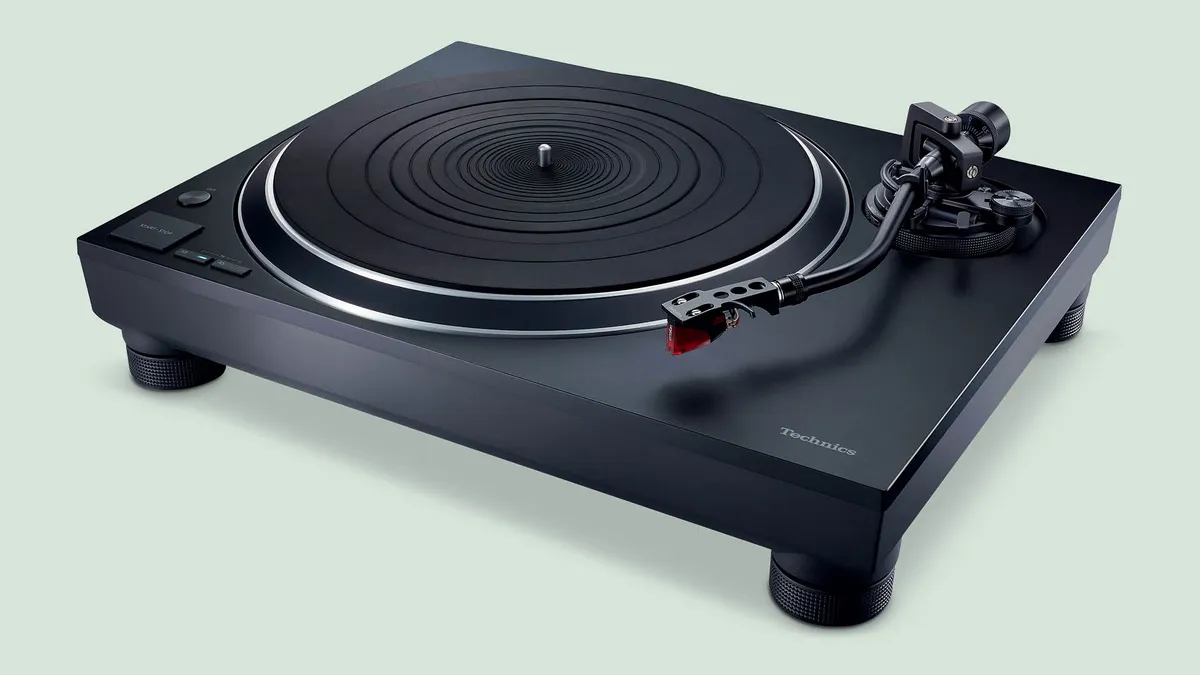

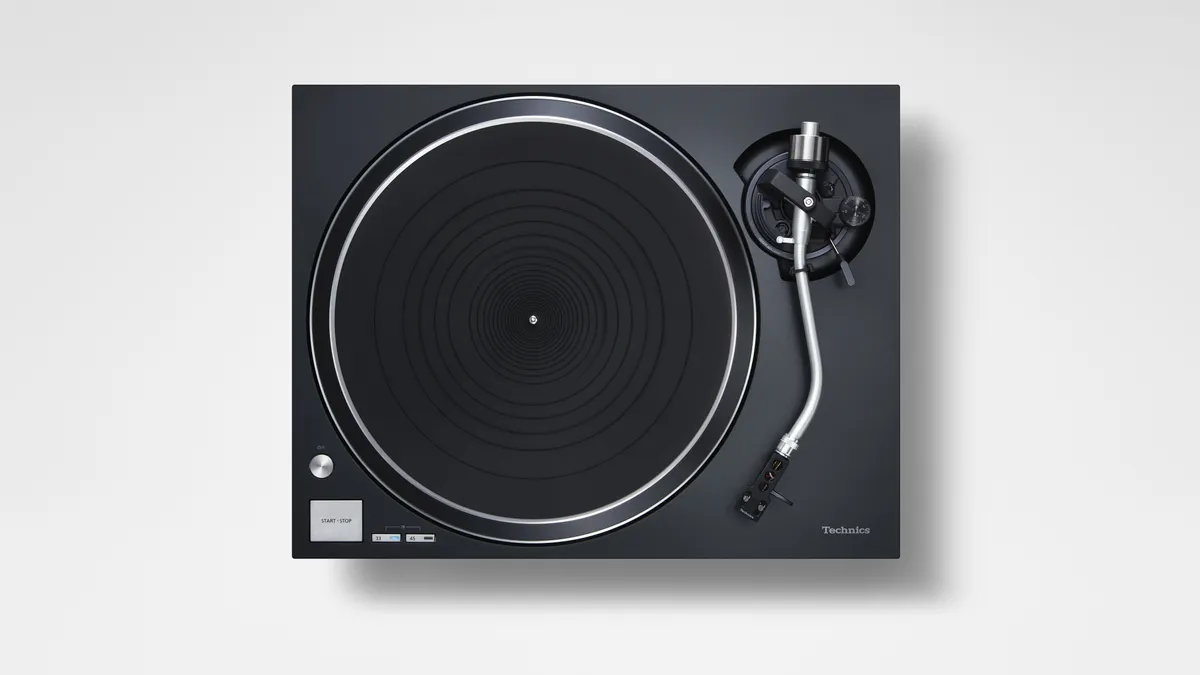


Even if you've never heard of a Rega or a Pro-Ject, you will definitely have heard of Technics. The brand is still going strong when it comes to turntables, both for DJs and audiophiles. While we love the high-end SL-1000R model (so much so that we use it as part of our listening room's reference testing system), the SL-1500C is much more affordable, and it's also one of the best record players we've heard at around a grand that includes a built-in phono stage.
It uses a core-less direct drive motor with clever speed management circuitry and the company's trademark S-shaped arm, which is attached to an Ortofon 2M Red cartridge. The engineering and build quality of the deck is of a high quality; everything is pleasingly put together with precision and it feels very durable and robust too. It comes with a detachable headshell and adjustable arm height – bonus features that make it possible to upgrade and adjust your chosen cartridge.
Sonically, the Technics is equally pleasing. Songs are relayed with a brilliant sense of dynamism and energy, and even more complex or orchestral recordings are delivered with a tremendous amount of composure and organisation. There's clarity and precision, too, and it can track multiple instrumental strands with considerable skill.
There's subtlety to the quieter moments alongside the more bombastic crescendos. Playing Nitin Sawhney’s Prophesy album, we said in our review: "The Technics revels in the album’s complex rhythms and thickly layered production. There’s plenty of punch here, particularly at bass frequencies where the deck delivers an impressive combination of agility, punch and depth."
While some may prefer the more insightful and dynamic sound of the Rega Planar 3/Nd3, the Technics SL-1500C offers crisp presentation, a built-in phono stage and electric speed control, making it a great choice for those who want a bit more ease and flexibility as opposed to being vinyl purists.
Read the full Technics SL-1500C review
Best Bluetooth turntable


We can't think of many Bluetooth-ready decks that are as appealing and accessible as the new Pro-Ject T1 Evo BT. If you need a great, fuss-free record player but don't want to start searching at the bottom of the price pile, the mid-range Evo BT has talents across the board for getting your vinyl spinning without the hassle.
It's an easy to setup turntable, and while you'll have to fit the platter, mat, belt and dust cover, those are hardly the trickiest of tasks for anyone with half a brain. Just make sure that the tracking weight is correct, as while it should be set out of the box, we found our test unit wasn't quite where it should have been after we'd freed it from its packaging. If you want the best performance possible, it's worth checking that the tonearm is set at the precise force required for the supplied OM 10 cartridge.
Capable of playing 33 1/3 and 45 RPM speeds, the T1 Evo offers a built-in phono stage or a set of line-out terminals if you want to outsource such duties to an amplifier or standalone phono preamp. The Pro-Ject sounds great using our Naim Nait XS reference amp's phono input, though we understand that most users will simply use the built-in phono stage in a bid to keep things simple and reduce costs. Still, it's nice to know the Evo BT can stretch a little if need be.
Naturally, the Pro-Ject T1 Evo BT is Bluetooth-ready, with wireless listening toggled via a recessed switch on the plinth's right-hand side. Connection is easy, while the sound is solid, stable and satisfying via Bluetooth.
For more traditional wired listening, the Pro-Ject is a stellar choice, with a smooth, easy-going nature that doesn't miss those essential textural timbres. There's ample clout in the bass, too, offering real resonance and force at the lower end to keep tracks from appearing thin or anaemic.
As our review made clear: "However you choose to listen to the T1 Evo BT, the performance you’ll receive will reward you richly, especially if you favour an effortless, undemanding sound. We’re not expecting every user to spend a considerable sum investing in an external phono stage, but the Evo BT has the sonic capabilities to get your records purring without the need for any added expenditure."
Read the full Pro-Ject T1 Evo BT review
Best USB turntable

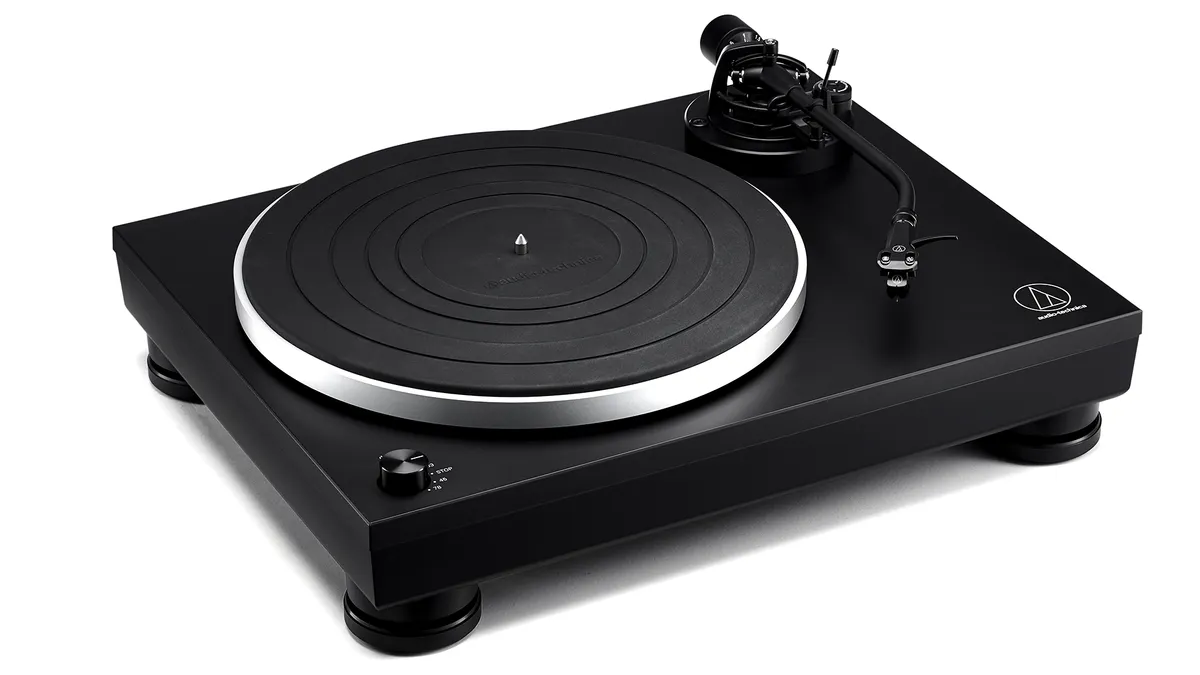


Audio-Technica’s original AT-LP5 turntable was a winner. Launched in 2016, its combination of solid engineering, useful features and fine sound was enough to make it one of our go-to recommendations for anyone wanting a sensibly priced, fuss-free record player with the added bonus of a USB output.
It's no surprise, then, that Audio-Technica hasn't changed this winning formula too much for the current AT-LP5x model. But the brand has made some improvements throughout the deck. There's a new cartridge that's easier to fit, the built-in phono stage can now cope with both moving magnet and moving coil cartridges, and it has added a 78rpm speed option.
Aside from these neat additions and tweaks, the LP5x's audio performance mirrors its predecessor closely. It sounds a touch cleaner and clearer than before, but without losing any of its composure or dynamically pleasing presentation.
We said in our review: "Detail levels are high and all that information is rendered with organisation and composure. This deck never sounds as though it is struggling, no matter how complex the music gets." Stereo imaging is solid and composed, too.
The USB ripping feature means you can digitise your vinyl collection in CD quality WAV files up to 16-bit/44.1kHz and 48kHz (many current USB turntables only offer ripping in poor MP3 quality).
If you're after a well-executed design that's well-built, with useful features and that sounds great for the money, this appealing AT-LP5x is worthy of a spot on your shortlist.
Read the full Audio Technica AT-LP5x review
Best high-end turntable


If you are serious about vinyl and have the big bucks – and a sufficiently talented system to match – then you'll want to consider a high-end turntable. There are plenty of five-figure options from the likes of Linn, Michell, SME and Rega, but it's Vertere's 'entry-level' DG-X deck that we would highly recommend.
The DG-X may look very similar on the outside to its predecessor (the Award-winning DG-1 S/Magneto), but the third-generation DG-X has been completely redesigned from the ground up, from a more efficient manufacturing process (which keeps costs down and makes it easier to assemble) to a completely new tonearm bearing design that elevates the performance even further.
The innovative flat tonearm returns, but the bearing is a unipivot design whose point is securely located with a trio of precision silicon nitrate balls, which helps keep the tonearm extremely stable. The DG-X comes with a new cartridge (Sabre Light MM) as standard in the box, and includes a step-up power supply and the Techno Mat – both of which you could previously buy as an add-on.
Various other elements of the DG have been improved – the grounding, the mounting plate for the motor, the power button design – and the tracking weight, bias, VTA, and azimuth are all factory-set for the supplied cartridge. You simply have to plug it in, put a record on and press play.
The turntable itself is beautifully made and exquisitely engineered. The main platter is precision-machined from aluminium, bonded with layers of different materials for further damping, while the three-layer cast acrylic plinth is as unusual-looking as it is stunning to look at. The stylish, eye-catching design – especially with the internal illumination and the mirror gloss finish – certainly stands out from the sea of traditional-looking turntables.
The Vertere DG-X remains a turntable that wants you to enjoy the music rather than analyse every element, and is a terrific improvement over its predecessor in every way, from dynamics and spaciousness to stability and muscle. In our review, we said: "There are subtler dynamics revealed with each bit of pressure placed on instruments, sounding more tuneful, more tactile and more intentional, while their voices sound even purer and more natural."
There is greater width and breadth for big orchestral pieces to breathe and flourish, along with a more refined tonal balance overall – all without ever losing the Vertere's innate (and excellent) rhythmic ability and sheer energy.
In comparison, the older DG-1 S package sounds leaner and a little dynamically compressed, while the DG-X pushes the performance forward with greater confidence, textural depth and maturity. It still has an infectious sense of enthusiasm and superb rhythmic precision and punch that make it endlessly entertaining to listen to. "It sounds so physical and visceral in a way that rival turntables can’t quite match," we said.
That Vertere has been able to make such significant changes – both in the manufacturing process and engineering design – while sticking to its below-£5000 price point is pretty impressive. If you have a partnering system that is equally capable (and a high budget), we guarantee you will be delighted with the DG-X as well.
Read the full Vertere DG-X review
Also consider
Rega Planar 1: A superb entry-level and multiple Award-winning turntable that gives you all of Rega's know-how in a budget package. If you want greater detail, rhythmic precision and dynamics over the budget Pro-Ject Primary E (and you can spend £100 more), this is the one to get.
Rega Planar 2/Nd3: It doesn't come in as many colours as the same-price Pro-Ject Debut Evo 2 and isn't as convenient to use, nor is it quite so delicate and forthright with the midrange. But if you prioritise rhythmic agility, control and propulsive momentum when it comes to sound, this Planar 2 with the new Nd3 cartridge package is highly recommended.
Clearaudio Compass: A smart-looking, easy-to-use turntable that offers a spacious, detailed sound with a particularly impressive taut and agile bass performance. Rival Rega is more rhythmically and dynamically adept, however.
Rega Planar 6/Nd7: If the chunky styling of the Technics SL-1300G isn’t for you, or you just prefer a belt-driven turntable to a direct-drive one, Rega’s Award-winning Planar 6 with new Nd7 MM cartridge is a wonderfully refined, articulate and precise-sounding option that’ll please the purists.
Turntables coming soon

Technics SL-1500CS: An update to the excellent SL-1500C we like so much (above), the new SL-1500CS features the advanced motor control technology seen in the more premium models (like the the SL-1300G) for greater speed accuracy and less motor vibrations. Available in a metallic grey finish, it will cost £1099.
Pro-Ject Debut Reference 10: Pro-Ject's Debut range has always been popular and filled with five-star models, and this new flagship of the range is pitched as the most accomplished Debut turntable yet. The Debut Reference 10 features a Pick it Pro Balanced cartridge on a 10-inch carbon fibre/aluminium tonearm, acrylic platter and aluminium sub-platter, and is set to cost £999.
Rega Planar 6 RS Edition: After the success of the Planar 3 RS Edition, the standard Planar 6 is given the same treatment, with key elements of the step-up Planar 8 (RB880 tonearm, new Nd9 cartridge, twin belts) combining with the brushed aluminium metallic finish. It's a full rectangular plinth rather than a skeletal model, and it will cost £2000 when available in a couple of months.
Audio-Technica AT-LP7X: A new Audio-Technica, but with a twist: a belt-drive model sandwiched between the direct drive AT-LP5X and AT-LP8X models, featuring an adjustable J-shaped aluminium tonearm fitted with the AT-VM95E cartridge, a switchable MM/MC phono stage, and an all-black design. Designed to be both minimalist and versatile, the LP7X costs £679 / $999.
How to choose the best turntable for you
What's your budget?
When it comes to choosing your turntable, first things first: decide on your budget. It should be no more than around a quarter of your system's cost, otherwise, it's unlikely your amplifier and speakers will get the most out of your deck.
Direct drive or belt drive? Do you need a phono stage or Bluetooth included?
Once you've nailed down your budget, decide on the features you require or want. Belt drive or direct drive design? Do you need a phono stage built-in or prefer a purist design? What about the cartridge – is it included or do you have to buy your own? Is Bluetooth streaming or USB recording important to you? Are you happy with a fully manual operation, or would you prefer a less fussy electronic speed change or automatic operation? Turntables have plenty of features, so it pays to check the details to find out which deck you'll be happy to live with. Make sure you have a checklist based on your needs to help you narrow the search.
Quality is key – check the specs
We would advise you against the 'suitcase'-style record players that remain trendy and are often rather cheap. Many of these turntables don't have the careful engineering or precise build quality that's so crucial to ensuring the tonearm is stable and the needle is accurately reading a record's groove, and many of these kinds of decks also don't let you adjust the tracking force of the cartridge. If this is too heavy (as we discovered with some of the cheaper Crosley decks), then this can damage your records. We don't want that.
Sound quality and system matching
Additionally, make sure you read up on the sonic characteristics of all the products in your system to match your chosen turntable and vice-versa. Not all five-star products are equal, and every hi-fi setup benefits from the right partnering.
Take time to set up, or ask a dealer
Once you have made your choice, it's also crucial you set up your turntable correctly. While some record players are relatively "plug and play", many require a little more time and effort to hear at their best. If you are buying a more high-end record player, ask the dealer if they can arrange a demo before you commit to buying.
This is a quick run-through of the basics of choosing a turntable. But if you want to know more or need more in-depth advice, read our complete guide to choosing the right turntable.
How we test turntables at What Hi-Fi?
What Hi-Fi? has been reviewing turntables for 50 years – ever since the first magazine issue was published in 1976, and our reviews have remained independent, trusted and thorough ever since across print and online.
The current What Hi-Fi? team has more than 100 years of collective experience in reviewing, testing and writing about consumer electronics – and that includes plenty of record players. We have purpose-built, acoustically treated testing facilities in London and Reading, where our team of expert reviewers do all our in-house testing. This gives us complete control over the testing process, ensuring we are consistent across all product reviews and in our advice.
When testing turntables, we ensure we place them on a stable, level surface, set them up correctly with the supplied or appropriate cartridge, and partner with various price-appropriate electronics. We use a variety of amplifiers and phono stages (if it doesn't have one built-in) and also test out extra features such as Bluetooth and USB recording, if the record player has them. We also take note of the turntable's build quality and how easy it is to use on a daily basis. Most of all, we spend plenty of time listening to the turntable, and play a variety of records in a variety of music genres, to test the turntable's sound quality. These are just some of the best vinyl records we use during testing, while each reviewer will have their own collection of records to play.
All new turntables are tested in comparison with the best-in-class model at the same price level. We keep five-star and What Hi-Fi? Award-winning models across each price bracket in our stockroom so that we can benchmark and compare all turntables that enter our listening rooms. These comparisons are bread-and-butter to our reviewing process, and ensure we give buyers the best advice on which turntable to buy at any given price.
All turntables are listened to by multiple members of the What Hi-Fi? reviewing team, and the final review verdict is agreed upon by the team as a whole rather than a single reviewer. This method helps to ensure consistency and avoids individual subjectivity and biases. We are proud of delivering honest, independent and unbiased reviews for 50 years, there is never any input from the brand, PRs or commercial teams on our reviews or verdicts. That's why our reviews are trusted by customers, retailers and manufacturers alike.
From our reviews, we hand-pick only the best turntables at each price to feature in this Best Buy guide. That's why if you take the plunge and buy one of the products recommended here, you can rest assured you're getting a What Hi-Fi?-approved product.
You can read more about how we test and review products on What Hi-Fi? here.
FAQ
What is better: direct drive or belt driven turntables?
There are two basic designs of turntables: direct drive and belt drive. This relates to where the motor is positioned. The motor is what sets the speed and makes the platter (on which a vinyl record sits) rotate.
Direct drive designs have the motor placed directly under the platter. This method allows for faster start-up speeds and better rotational stability (how consistently the platter runs at the correct speed). The downside is that unwanted vibrations are more easily introduced. This affects the cartridge and how it tracks the groove in a record, which means distortion is added to the final sound.
Belt drive designs have the motor offset from the platter, and use a belt (or sometimes multiple belts) wrapped around the spindle and the platter in a pulley system to rotate. This keeps the platter isolated from those pesky vibrations, but because of the variances in tension and thickness in the belt, the rotational speed isn't absolutely consistent.
Which design the manufacturer employs is a matter of preference and which compromise they're happier to deal with, and each brand takes care when making a turntable to account for the flaws in either design.
In terms of sound, that entirely depends on the individual turntable. Technics decks use direct drive, while Rega always uses belt drive designs – both make excellent-sounding turntables, so one design isn't necessarily better than the other.
Do new turntables play old records?
The beauty of an analogue source like a turntable is that the principle of the design has stayed the same across decades. Whether it's a turntable from the 1970s, the 1990s or 2020s it plays records the exact same way. How well-made the new turntable and its tonearm are, the speed stability and accuracy, and how precisely the stylus can track the grooves on the record – these are what matter most when playing your record collection. So you simply have to choose the best-performing turntable for your budget and needs (our recommendations in this list should help!)
What condition your old records are in is another factor. You might need to get them cleaned (there are various record cleaning equipment available) and depending on the type of records you have – 33.3, 45, 75 rpm – it's worth checking that your new turntable can play these different speeds or has an adapter that will let you play all record types.
Do I need to buy speakers for my turntable?
Yes. While you can buy record players with speakers built in, we tend to find these generally perform poorly. A turntable performs better without additional drivers and vibrations affecting the way it tracks the grooves on a record. We'd recommend a pair of good speakers that match your turntable – sonically and price-wise – to get the best performance.
If your turntable has a phono stage built-in, powered speakers (ones with amplification built-in) such as Ruark MR1 Mk2 or KEF LSX II LT are ideal pairings. Otherwise, there's plenty of choice when it comes to passive speakers from brands such as Elac, Bowers & Wilkins, Q Acoustics, KEF and more. Check out our guide to the best speakers and best active speakers to find the right pair for your turntable.

Do I need a phono stage for my turntable?
Yes, always. Every turntable will need a phono stage – whether that's a standalone unit or built into the turntable, or integrated into your amplifier or speaker – to be able to play a sound that you can hear through your speakers.
Why? The audio information stored in a record's groove can be in an area as small as a micron (one-thousandth of a millimetre), so the scale of the task to retrieve it and playback through your speakers is immense – one that your standard line-level stereo amplifier isn't able to do on its own.
The physical limitations of vinyl mean that the original audio signal has to be altered before it can be recorded onto its tiny grooves – low frequencies are reduced in level and the highs are boosted. This is where the phono stage (or phono preamp) comes in. It has to reverse the response built into it – one that boosts bass and flattens treble to exactly the right degree, which should result in a tonally even presentation for the audio signal. And it has to amplify the signal. The cartridge signals from tracking the groove can be as low as a thousandth of a volt (CD’s output is specified at 2V, for instance) so the signal has to be amplified massively before the line-level stage of a stereo amplifier can take over.
You can learn more about how a vinyl record makes a sound.
Are old record players better than new turntables?
If you have an old record player, say a few years or decades old, the same principles apply: the build quality, the cartridge choice, how reputable the manufacturer was and the care it took in making the record player, and overall performance all matter. A well-made or high-end turntable should last you decades, if not a lifetime, as long as you still enjoy listening to it.
As long as you've kept the turntable in good condition over the years and paired it with capable matching electronics, it should still sound good. The very well-regarded Roksan Xerxes turntable, for instance, still sounds as good today as it did in the late 80s/90s, according to our reviewers.
New turntables have the advantage of refining a design with newer, cleverer materials or manufacturing processes. So they can sound cleaner and more precise with every new generation; in our experience, Rega and Pro-Ject turntables have generally improved with every iteration of their Planar and Debut ranges, respectively. Newer turntables these days also include extra features like Bluetooth streaming or USB recording, so it depends on what you require.
Turntables generally have long shelf lives, and don't require software upgrades like digital-based products do. Long-standing models from Michell Engineering, Clearaudio and Linn still sound fantastic and perform beautifully today.
Recent updates
- March 2026: We've updated the Coming Soon section with fresh turntable launch news.
- January 2026: It’s a new year, so we’ve checked availability of all our recommended products, and updated the Coming Soon section.
- December 2025: Added the Clearaudio Compass to our also consider list.
- November 2025: Highlighted the new 2025 What Hi-Fi? Award winners, and added fresh hands-on images of the Pro-Ject Primary E.
- September 2025: Added 'In brief' section.
- September 2025: Added the freshly reviewed, five-star Vertere DG-X to the main list, and updated our Coming Soon section.
- July 2025: Updated our Pro-Ject Debut Evo 2 entry, streamlined our Also Consider options and added the new Clearaudio Compass to our Coming Soon section.
- May 2025: Added the five-star Technics SL-1300G to the 'also consider' section.
- April 2025: Added Pro-Ject T1 Evo BT to the main list as our favourite Bluetooth turntable. Added Sony PS-LX310BT to the also consider list.
- March 2025: Added a new 'coming soon' section for newly launched turntable news and highlight which models we have in for testing next.
- February 2025: Replaced the Rega Planar 3/Nd3 with the Rega Planar 3 RS Edition and the Rega Planar 6/Ania with the Technics SL-1300G.
- November 2024: Added Pro-Ject Debut Evo 2 to the main list, and 'quick list' grid added to see all products at a glance.
- October 2024: Added new Rega Planar 3/Nd3 entry to the list and the freshWhat Hi-Fi? Award winners have been labelled.
- September 2024: Updated advice and FAQs, and highlighted our current top three turntables from the long list.
- July 2024: Added 'also consider' section highlighting other new models to offer buyers more options.
- February 2024: Updated our advice and testing process, and added FAQ section to help buyers with the most asked questions about turntables.
- November 2023: What Hi-Fi? Award-winning products are labelled following the 2023 annual What Hi-Fi? Awards Best Buys and Product of the Year announcement.
Today's best deals
