
If you've been following What Hi-Fi? recently, you'll probably be aware of our love for the Sony Bravia 8 II. The Sony OLED achieved a full five stars in our review and went on to win TV Product of the Year at our 2025 Awards.
You might also be aware that the Bravia 8 II has experienced a few price drops recently. As a Christmas treat, the 55-inch model has dropped to its lowest price ever: £1619 at Richer Sounds.
We tested this model at £2499 in June, so that's a massive saving of £880!
Take note, though: this price is available only with the code 'SONY10'. So make sure to enter this code at checkout or you'll be charged the listed price of £1799.
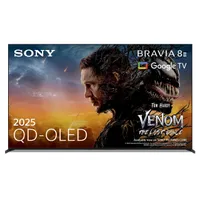
In our 55-inch Sony Bravia 8 II review, we describe the set as “one of the very best TVs that money can buy”.
As we say in our review: “The Sony Bravia 8 II is a truly exceptional TV. Its combination of sizzling brightness, vibrant colours through all degrees of light, terrific shadow detail and razor-like sharpness combine to produce an image with regularly astonishing dynamism, depth and realism.”
A touch confusingly, the Bravia 8 II is the successor to the Sony A95L, which was itself one of the best TVs you could buy in the past few years. Compared to the Bravia 8 II, though, even the A95L looks a little flat.
The Bravia 8 II has a QD-OLED panel, which together with Sony's processing and custom heatsink allows the newer model to go 25 per cent brighter than the A95L.
One of the greatest strengths of the Bravia 8 II is just how easy it is to get it looking its best. Simply pick Dolby Vision Dark mode for Dolby Vision content and Professional for everything else, and you'll have a supremely authentic picture without the need for any tinkering.
Dark gradation is a notable highlight also, with exceptional amounts of shadow detail present during a viewing of Alien: Romulus.
Sony's AI processing also helps make images look impressively solid and three-dimensional, adding volume to people and objects and depth and purpose to backgrounds.
This is all backed up a solid feature set. In addition to that QD-OLED panel, there's HDR support for Dolby Vision, HDR10 and HLG. Dolby Atmos support and IMAX Enhanced certification also sweeten the deal.
As you'd expect from a flagship TV from the makers of the PlayStation, gaming features are stacked. There's support for 4K/120Hz, VRR and ALLM with a Dolby Vision Game mode. However, there are only two full-bandwidth HDMI 2.1 sockets, one of which is the eARC port also, so those with multiple consoles will have to swap cables for the best experience.
The Bravia 8 II is also one of the best-sounding TVs we have heard, thanks to its Acoustic Surface Audio+ setup, made up of two actuators and two subwoofers.
If you want to treat yourself to a Christmas present, now might be the time to do it. The Sony Bravia 8 II is a phenomenal TV, and is now available at a record low price of £1619 at Richer Sounds.
MORE:
Also consider the LG G5, Samsung S95F and Panasonic Z95B
Our pick of the best 55-inch TVs
We rate the best gaming TVs available right now

