
There's no surprise why DAB radios remain popular today: compact designs, hundreds of free stations, easy to use – it's a great way to listen to music, news and sports while going about your day.
In this guide, we are focusing on the DAB/FM radios that deliver the best audio performance, but note they also do the crucial alarm clock job, too.
Modern DAB radios today increasingly boast features such as Bluetooth, wi-fi and even Spotify integration to widen their appeal to all listeners. Their essential objective is still attractive: easy to use and fit into your home, and, for many, a lifeline to the outside world thanks to accessible, free radio stations to keep you updated with news, sports events and all genres of music.
There's nothing quite like your favourite BBC 6 Music programme keeping you company in the kitchen or home office, while a seasoned radio DJ's handpicked curation will delight and inform better than most AI-powered playlists.
Below you'll find our pick of the best DAB radios that we've tested and have impressed us with their features, ease of use, design and overall sound quality for the price. You can read more about our radio testing process here, or scroll below to see our pick of the best-sounding DAB radios you can buy today.
9th January 2026: We recently reviewed the new Roberts Reva – a powerful-sounding, smart-looking radio – that just missed a fifth star, but still makes it into our Also Consider list.

I'm the hi-fi and audio editor of What Hi-Fi? and have been testing all kinds of audio products, including DAB radios, for over 13 years. I've listened to and lived with all the radios recommended in this list – and can vouch for how relevant and enjoyable the humble radio still is today. The best digital radios do more than sit in your kitchen, looking stylish and pumping out Radio 4 or Heart FM (but they do this brilliantly too), with most modern radios featuring streaming smarts, multiple connectivity and excellent sound quality to compete with even the best wireless speakers around. My top picks here span ultra-portable budget models, premium radios and home stereo 'hi-fi' options, and they all sound (and look) fantastic.
Best overall DAB radio
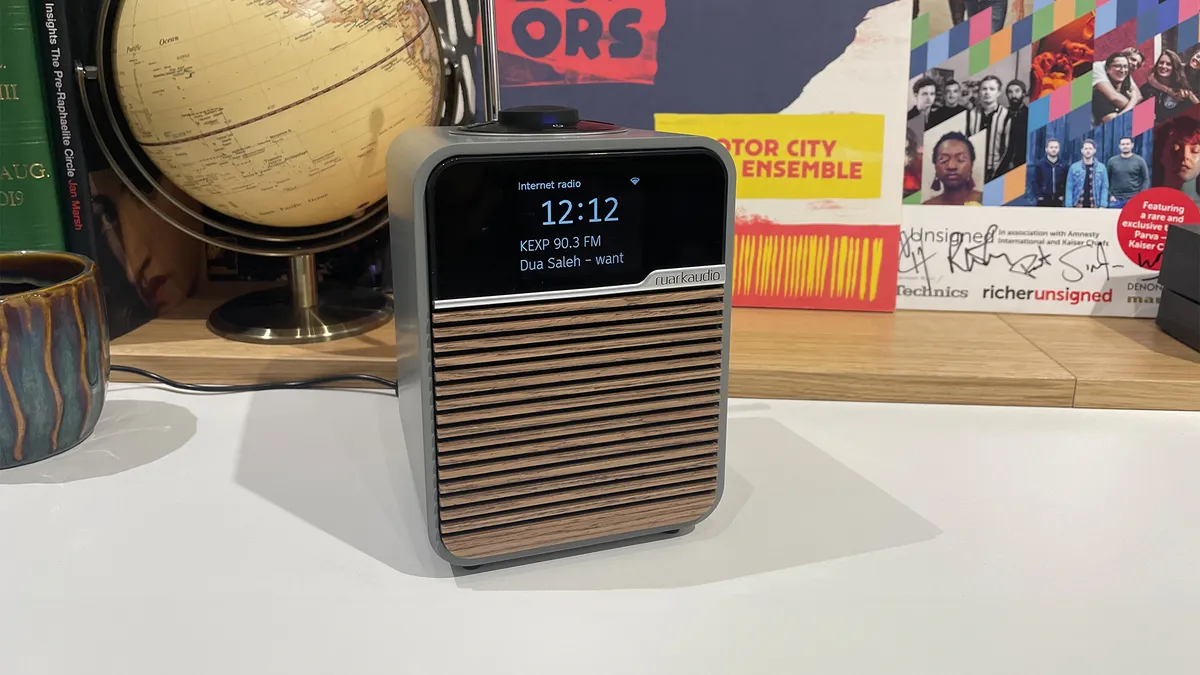


Ruark's smallest, entry-level radio is more than just a DAB radio. Packing internet radio, Bluetooth and wi-fi streaming, including integrated Spotify Connect, alongside the traditional FM/DAB+ tuners, the R1S is a smart, versatile and feature-packed wireless speaker for the modern era that can play from nearly any source. There are even physical inputs for plugging in your smartphone, MP3 player or wired headphones.
The compact unit looks classy and elegant, with a larger, full-colour screen displaying crisp, clear text that you can easily read from a distance. It's easy to use thanks to the on-unit controller; you can set alarms and timers, and save eight presets per radio source. There was only one finish at launch, but now it's available in three chic finishes.
We were expecting that rich, full-bodied sound we've become accustomed to hearing from a Ruark radio, but the R1S is much more articulate, precise and mature-sounding. It's evenly balanced, there are subtleties in detail revealed effortlessly, and the timing is spot-on. Voices sound natural and are projected well, and there's ample space and organisation for instruments to thrive.
It sounds engaging and dynamic, and it's impressive just how much bass weight and definition you can get from such a compact unit. No matter what kind of music you're listening to – classical, pop, rock, hip-hop – or enjoying podcasts, the R1S delivers a wonderfully solid, nuanced and organised sound.
If you're after a classic DAB radio that can also handle modern streaming smarts (and more), this Ruark is hard to beat at this price. It's such a terrific radio, it not only gained a What Hi-Fi? Award, but also ran away with the coveted Product of the Year Award for radios – two years in a row! Highly recommend.
Read our full Ruark Audio R1S review
Best budget DAB radio
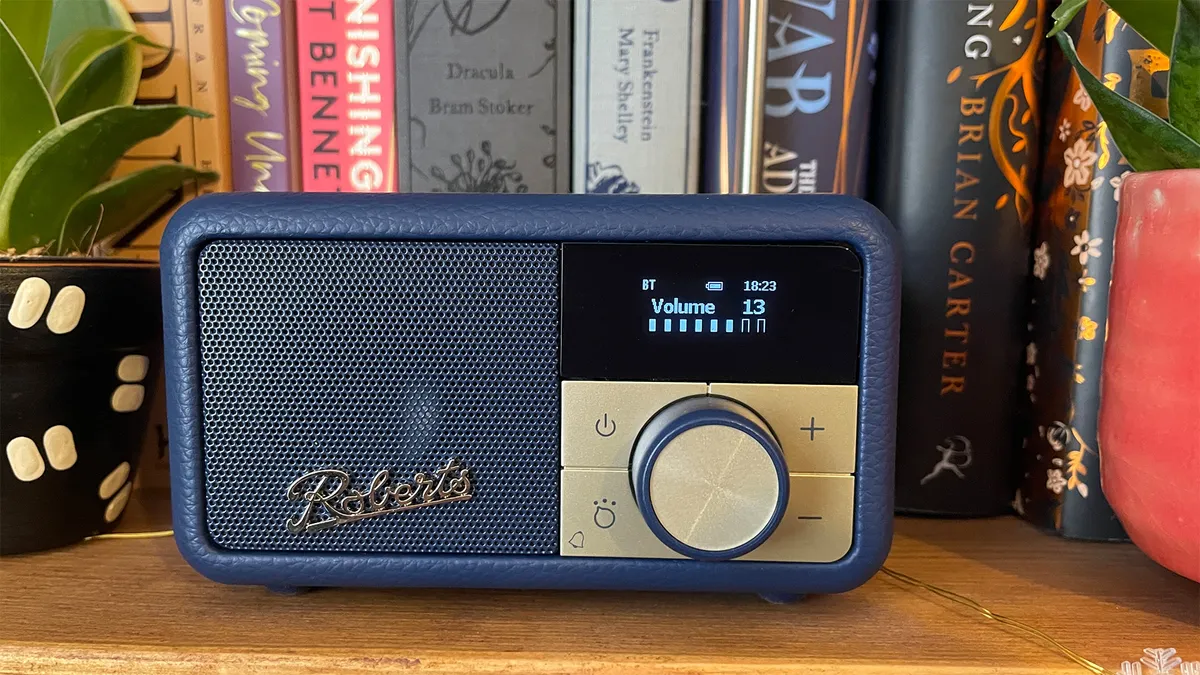
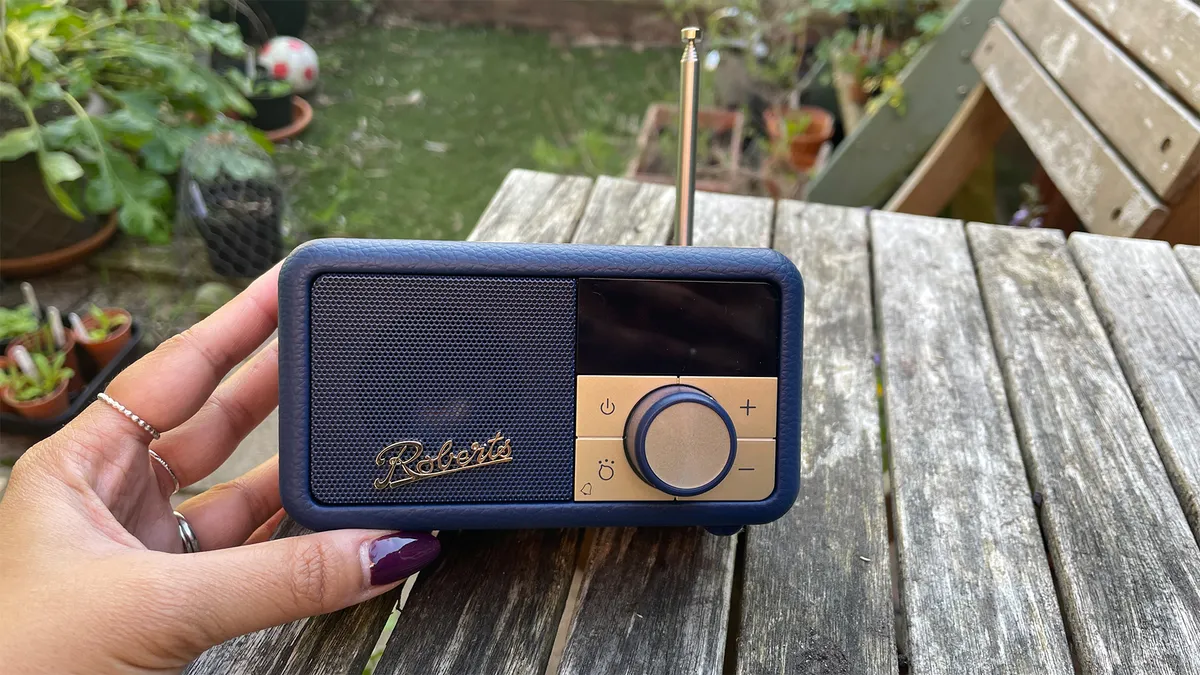


Costing just shy of £100 and boasting 20 presets (10 DAB and 10 FM), Bluetooth connectivity and a 20-hour portable battery, the tiny Revival Petite 2 offers an abundance of features for the money. The updated model adds USB-C charging, alarm and timer settings, and a 3.5mm headphone jack, while the small but bright OLED screens pack in a whole lot of information.
We couldn't be more effusive about its incredibly compact, almost palm-sized form (check out the gallery above to see it placed against other objects) and how well-built and lovely it is to hold and behold. No matter how small your space is, this Award-winning Petite 2 (in its many colourful finishes) will be able to perch anywhere.
Despite its mini dimensions, the Petite 2 delivers a surprisingly big, detailed and weighty sound. Roberts has judged the sonic balance beautifully, recognising it won't be able to relay true bass or a wide soundstage, but delivering just enough richness to the midrange and a lively presentation so it's an entertaining and satisfying listen.
Voices are clear, solid and have natural warmth, while music, regardless of source, is dynamically and rhythmically engaging. There's drive and momentum, and it's fun to listen to.
In the Petite 2, Roberts has made a terrifically stylish, entertaining and versatile radio that is an utter delight in every way.
Read our full Roberts Revival Petite 2 review

It might seem obvious, but saving your favourite and most-listened-to radio stations as presets is a time-saver. Most digital radios offer ample presets you can readily access on the unit, through the menu or accompanying app, and it will save you so much time scrolling through endless station lists or attempting to find the right FM frequency, when you know you just want to tune in for a particular station, programme or even genre of music.
Best premium DAB radio
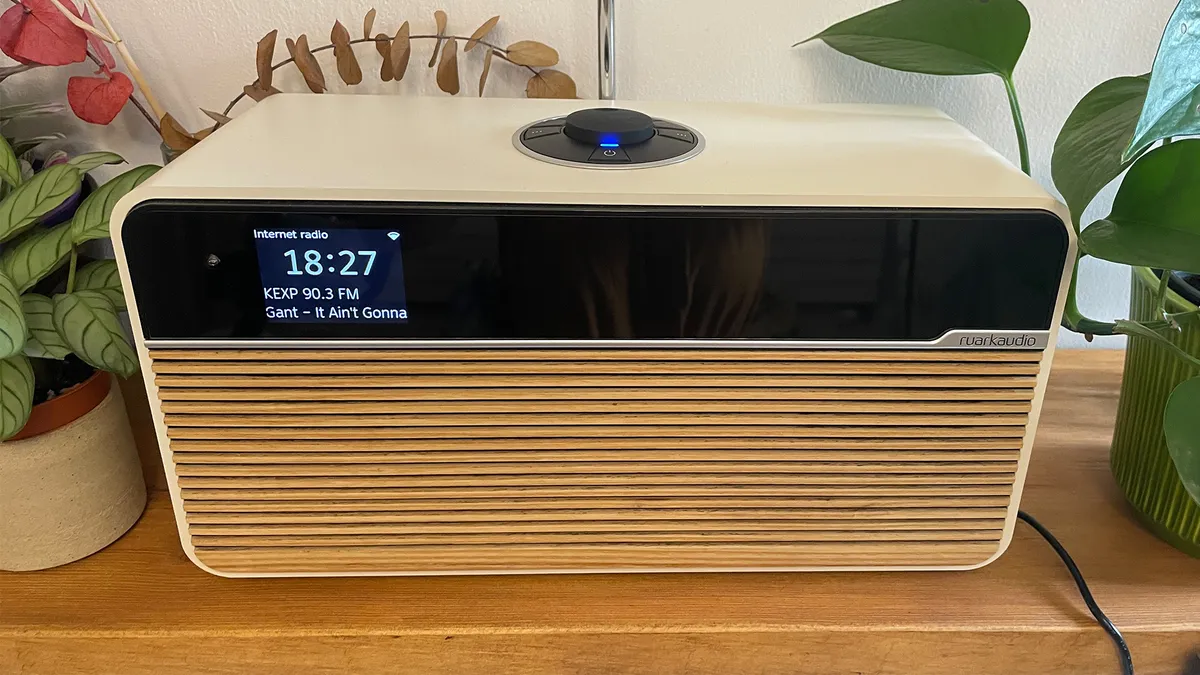

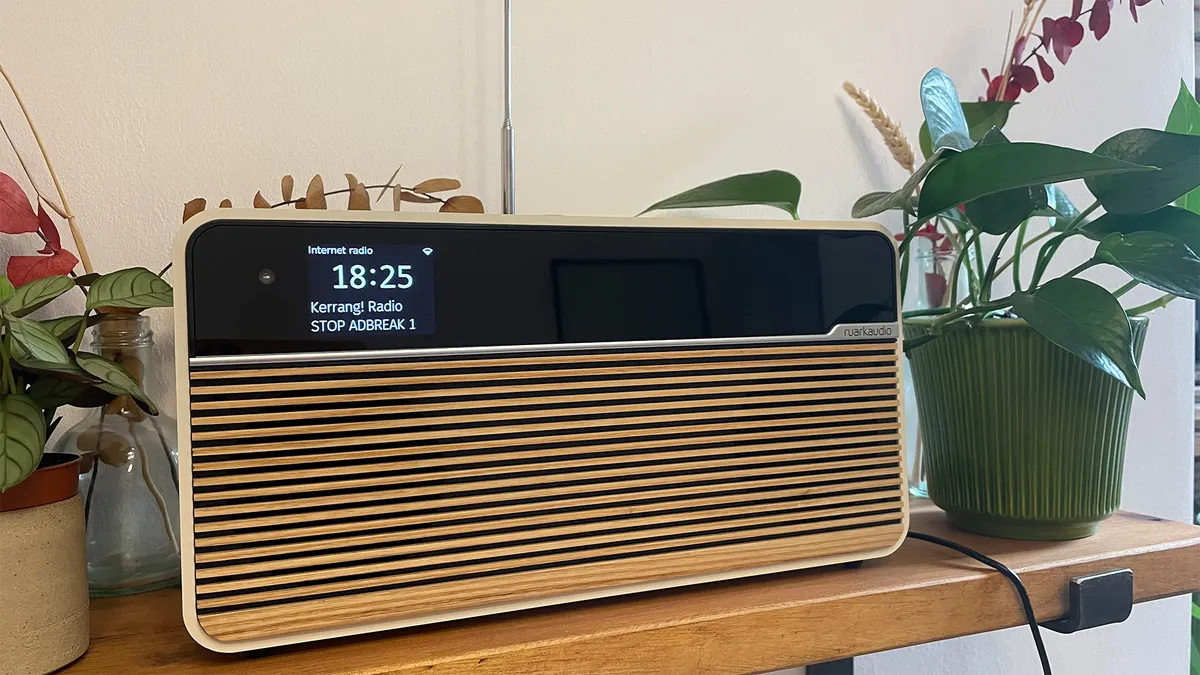


Oh, what a lovely thing the Ruark Audio R2 Mk4 is. We rarely find audio products that achieve the Holy Trinity of sounding fantastic, looking sublime and being so easy to use that a toddler could probably find its way around the navigational menu, but the Ruark R2 (now in its fourth generation) has managed it, and in some style.
The beautifully made Ruark stole our hearts pretty much as soon as it was out of the box, and things only got better once we'd fired it up and started listening. It's a good thing, too, considering the R2's rather high price tag. It has a rich, detailed sound that doesn't sacrifice any musicality or timing, with a particularly nuanced, natural way with voices that make a great radio truly great. The Ruark is an engaging, vibrant listen no matter the genre or playing method you're using.
It's also, as you'll have guessed, a wonderfully made unit, sporting that stunning wooden slatted front, a clear, crisp display and a high-quality cabinet build that screams of a product made with care and precision. Why doesn't everything look like this?!
It supports Spotify, Amazon Music and Deezer over wi-fi, while all other music can be streamed from your device over Bluetooth. Whether you're streaming, playing FM, DAB, or internet radio, the radio is easy to use thanks to the built-in controller or by using one of two third-party apps.
It's priced at the premium end for a radio, but you get what you pay for with the Ruark R2. A wonderfully complete radio that truly deserves your consideration.
Read our full Ruark Audio R2 Mk4 review
Best DAB radio system

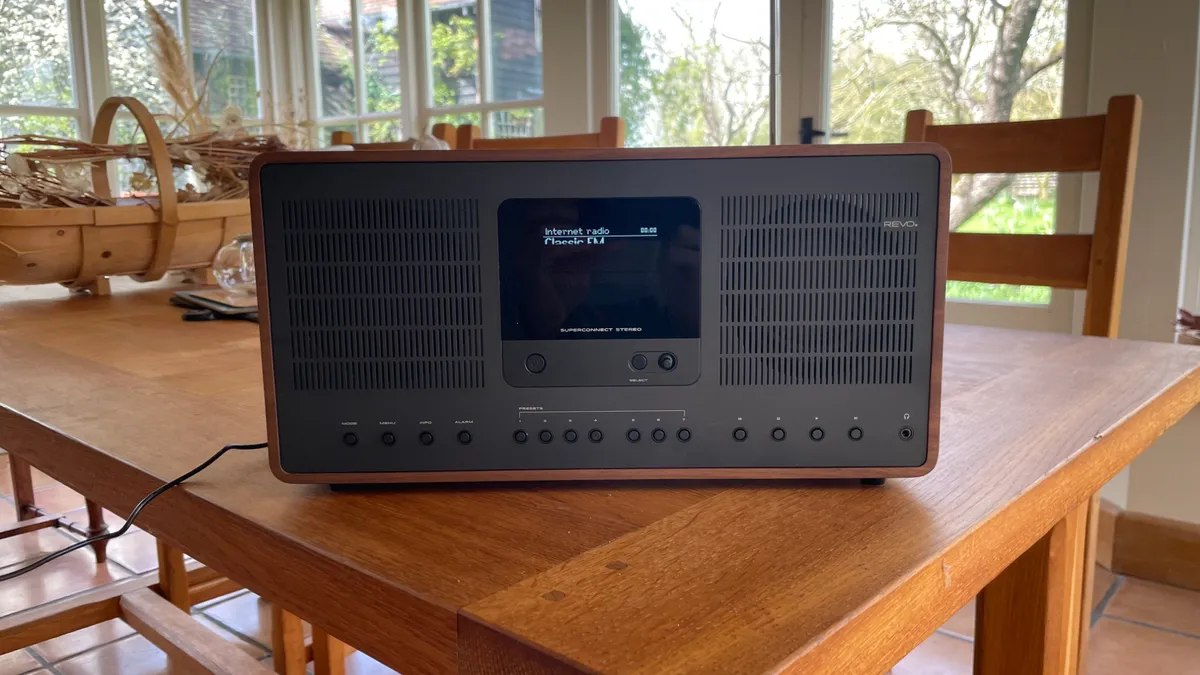
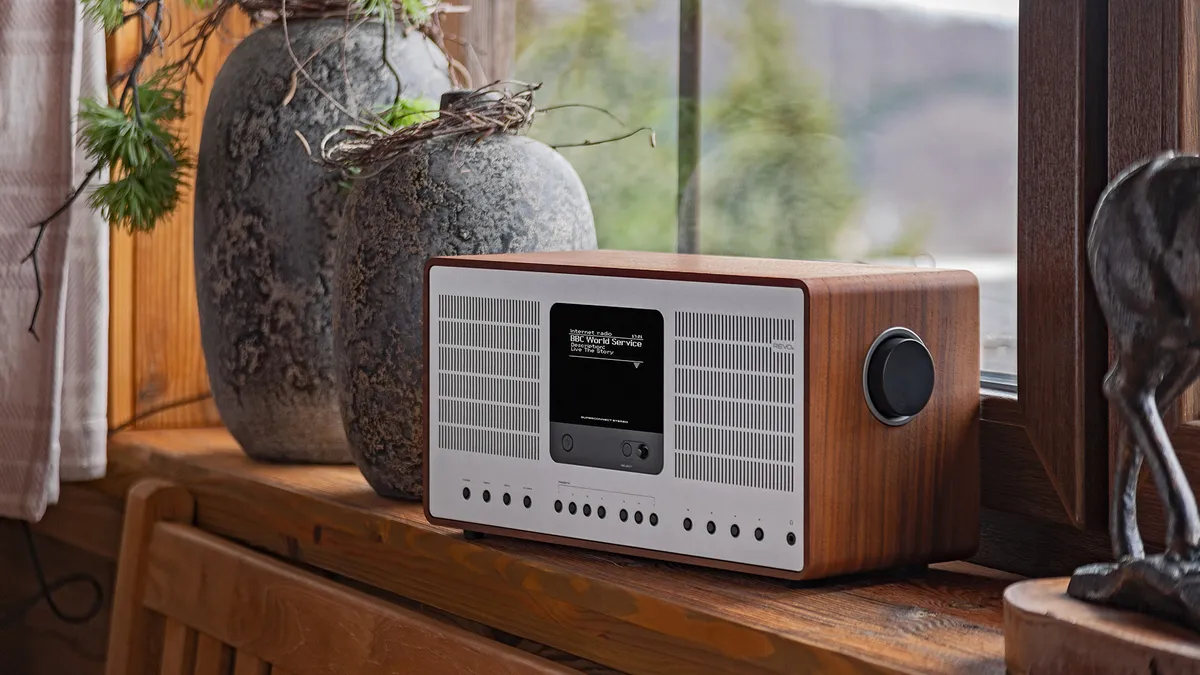


The modern radio/streaming system has to be a jack-of-all-trades while still holding onto that signature look, function and feel of a classic piece of tech, and while that's a lot of different requirements to juggle, Revo's SuperConnect Stereo delivers across all fronts.
It's classically handsome (more Rex Harrison than Timothée Chalamet), with its “retro with a dash of modern” aesthetic winning us over in an instant. Only the Ruark R2 Mk4 could be considered better-looking.
It's also made to a gratifyingly high standard. While slightly on the large side for a radio, the SuperConnect Stereo packs in a host of streaming features that will let you play music from popular streaming services to even picking up music stored on your network. Add some glorious sound into those dimensions, and this is a bona fide hi-fi system in its own right.
Speaking of sound, the Revo gets the balance just right, offering fullness, weight and body alongside detail, space and an appreciation for the music it plays. The Ruark (above) gives you a bit more spark, but the Revo is not lacking in weight and heft.
Easy to use, great to look at and a joy to listen to, the Revo SuperConnect Stereo is a genuine alternative to a modern hi-fi system, that just also happens to offer DAB radio as one of its many talents.
Read our full Revo SuperConnect Stereo review
Also consider

Majority Petersfield Go: After a simple, pocketable DAB/FM radio to tune into sports and news on the move? This little clip-on radio costs just £30, but you get lots of radio features (DAB/FM tuners, scanning, presets) and even a pair of nondescript wired earbuds thrown in. Swap them out for a better pair and this does the basics well.
Roberts Reva: While the Ruark rivals offer a more natural, fluid and subtle sound, the new Roberts Reva radio is a powerful, spacious performer that sounds good even at loud volumes. It's easy to use and we like the handsome new design, too.
Revo SuperConnect: The standard SuperConnect is still going (it delivers mono sound compared with the newer model's stereo output) and remains a smart, slightly more affordable choice for anyone wanting that excellent Revo sonic pedigree housed in an attractive, well-made package.
How to choose the best DAB radio for you

While all of the radios on this list give you access to hundreds of digital radio stations, some models include a number of useful extra features to boot, such as Bluetooth streaming and integration of your favourite music streaming service.
Size and features
Most importantly, when deciding which digital radio is right for you, you need to figure out whether you want something small and portable or larger and mains-powered, or if maybe you want a radio you can install in your car. Then, you'll have to decide if you just want to listen to the radio or if you're interested in wi-fi and Bluetooth connectivity, DAB+ and streaming support, or even CD player functionality.
Price and expecations
Price will of course be a factor as well, but it's important to set your expectations depending on the budget. DAB/DAB+ tuner integration should be standard for any digital radio, but it's worth checking whether the addition of Bluetooth streaming, FM radio tuner and/or the ability to set presets is important to you.
Our round-up above includes budget and premium options, featuring standard DAB digital radio and even various music-streaming goodies. Perhaps you want something tiny and ridiculously cute; perhaps it needs to fill a larger room – we have the best digital radio options across all shapes and sizes on this list.
Sound quality
But most importantly, all radios have to sound good, both with voices and with music. Whether you opt for a tiny radio or a full-blown radio system, each model recommended here offers the best performance and best value in its price category.
How we test DAB radios
At What Hi-Fi?, we independently review hundreds of products each year, including DAB radios, and always test as a team. This gives us complete control over the testing process, ensuring consistency across our reviews and our impartiality. To this end, we have state-of-the-art testing facilities located in London and Reading, where we conduct most of our reviews.
We test DAB radios in these test rooms but also take them home, especially to test out the quality of the DAB or FM tuner's reception. We also test how easy and intuitive the radio is to use in everyday situations, and how easy it is to find stations and set presets.
Regardless of whether the radio is placed in a permanent place or if it's portable, we use the radio in the way most people would when living with it. Naturally, we try out a variety of stations and programmes to test out the radio's sound quality during our testing period.
With DAB/DAB+ radios, we test not just the radio functionality itself (including the FM tuner) but every feature included in the product, from any wi-fi streaming to Bluetooth connectivity to global internet radio and even setting the alarms and presets. We evaluate all aspects of a product in the context of its price to ensure it offers value for money.
All radio products are tested against rivals in the same price category where possible, to ensure we get a good sense of their sound-per-pound value compared with the best-in-class, and that we are recommending the best radio at any given price point.
From those reviews, we choose only the best products to feature in our Best Buys. There's no input from PR companies, brands or sales teams, either. At What Hi-Fi? we are proud to have been delivering honest, unbiased reviews for over four decades. Our goal? To help you to find a product you'll be over the moon with.
FAQ
What's the difference between FM and DAB?
DAB (Digital Audio Broadcasting) radio uses digital technology to transmit radio broadcasts, while FM is an analogue method that transmits audio over radio waves.
DAB radio tends to sound cleaner as it is freer of interference and noise, while FM can be noisy due to overlapping frequencies. As DAB is digital and uses a larger bandwidth, additional information such as station names, artist and track title, signal strength and more are available. FM doesn't offer any such metadata, just the frequency number.

Which is better: FM radio or DAB radio?
DAB and FM are two different formats: DAB is digital, while FM is analogue, but which sounds best depends entirely on the strength of the signal and your location.
FM radio has the potential to sound better with greater detail and depth, but the quality of the signal depends on your proximity to a station's transmitter, and how powerful that transmission is. A basic 128kbps digital stream of a DAB station may not sound as good as an analogue FM radio station with an incredibly strong signal, but that compressed DAB station is your best best if your FM radio signal is weak, patchy or sounds too noisy.
On a practical note, DAB radio stations are easier to select thanks to a named list on your radio (and the built-in tuner will automatically pick up the stations available in your area), while FM requires you to scan the frequency band (sometimes manually) to find the right frequency number for a local station. You can check the coverage and strength of DAB and FM signals in your area using online resources.
One isn't necessarily better than the other, but it's worth trying out both options when you buy a new radio to find out which works best in your location.
What's the difference between DAB and DAB+?
DAB+ is a newer form of DAB radio that uses the same transmitters and digital broadcast technology as standard DAB, but with a more efficient and advanced codec. This means that DAB+ stations can potentially offer more stations and higher-quality audio in the same bandwidth.
However, this means that broadcasters can often choose to transmit multiple stations in lower quality rather than opt for one station in higher audio quality in DAB+.
A DAB+ radio will be able to access standard DAB stations, but a DAB-only radio will need a specific DAB+ tuner built-in to access DAB+ stations. To find out if your radio has a DAB+ tuner built in, check for the Digital Radio Tick Mark. Most DAB radios these days that we test have both DAB and DAB+ tuners built in.
Do you need wi-fi for DAB radio?
No, all you need to hear stations is a built-in DAB/DAB+ tuner, which should come as standard with the radio. Many radios or radio systems now do feature wi-fi so you can stream from popular music services and access internet radio, but bear in mind these tend to cost more than standard DAB radios.
Which is better: internet radio or DAB radio?
DAB (Digital Audio Broadcasting) radio uses digital technology to transmit broadcasts. Internet radio, however, can connect to a wi-fi network and stream online digital stations.
Internet radio gives you access to tens of thousands of radio stations that are available online and from across the globe, so you get far more choice than DAB radio. DAB is perfect if you're happy to listen to local and national stations, though, of which there are plenty in the UK in particular.
Internet radio is your portal to world music but remember, you will need a wi-fi/internet connection, whereas DAB radios have the required tuner built in. Sound quality? Again, that depends on the radio station, the quality it has chosen to stream at, and the strength of your connection. It isn't necessarily true that one always sounds better than the other.
Why buy a radio these days?
That's a fair question. After all, we live in a world of smartphones, smart wireless speakers and multi-room connectivity, so what place does the humble radio have in this ruthless new era?
Well, as we've hopefully shown above, radios do more than just play Classic FM and a bit of TalkSport – but that is still entirely valid as your main listening source. After all, radio stations are free to listen to, have enjoyable curated playlists and can be a lifeline to plenty of people who are either living on a strict budget or live in remote areas where wi-fi connection is patchy. Or both.
Many internet-enabled radios these days feature AirPlay 2 and Spotify Connect, while Bluetooth streaming and internet radio are increasingly seen in digital radios, even on budget models, so you can stream music from your phone as well. Not all radios offer such benefits, but most new radios these days are versatile and don't limit themselves to a single use case (e.g. just an FM tuner).
Additionally, many of the best radios can match or even better the finest comparative wireless and Bluetooth speakers in terms of performance. Another bonus is that they are often rather smart-looking (just look at the classy Roberts and Ruark models), and offer more stylish designs than your standard, often utilitarian, Bluetooth speaker models.
So if you care about how your tech looks and don't want to sacrifice sound quality, radios are a solid option for music fans.
Recent updates
- January 2026: Added the recently reviewed Roberts Reva to our Also Consider list.
- September 2025: Updated Ruark R1S entry with new finish options available.
- June 2025: Removed the Roberts Stream 94L from the also consider section due to lack of availability.
- April 2025: Checked all product prices and availability.
- February 2025: Checked all information is correct and all products are still available and remain our top choices. Added more FAQs.
- December 2024: All 2024 What Hi-Fi? Award-winners are labelled, including the new radio Product of the Year for 2024.
- October 2024: Added more FAQs about DAB, DAB+ and internet radio.
- July 2024: Added the Ruark R1S as a new top entry, swapped out the Roberts 94L as it's no longer available, and included Majority Petersfield Go into our also consider section.
- May 2024: Added new Roberts Revival Petite 2 entry as best budget DAB radio following five-star review.
- March 2024: Replaced the Revo SuperConnect with the newer, five-star Revo SuperConnect Stereo.
- February 2024: Added FAQ section to help with buying decisions and answer common queries.
- November 2023: What Hi-Fi? Award winners labelled after the 2023 Awards Best Buys and Product of the Year announcements.
MORE:
Check out the best internet radios we've tested
Here are the best music streaming services for you to play
If you’re fed up with streaming algorithms and miss the human touch, I have the perfect solution
