
It's Home Cinema Week here at What Hi-Fi?, which, as you would expect, has seen a lot of coverage of speaker packages, Dolby Atmos soundbars, 4K projectors and plenty of other good stuff.
But, as TV & AV Editor Tom Parsons has already written, home cinema in 2026 means much more than the usual screen-and-sound living room setup, and while traditionalists may deem this blasphemy, there's another increasingly popular way to enjoy movies at home: VR.
While most VR headsets will struggle to match the quality of a good home cinema setup, the technology is getting better all the time, and offers immersion and flexibility that most TVs can only dream of.
As the proud owner of a VR headset – the Meta Quest 2, to be precise, following a lockdown-era impulse buy – I've been hunted by virtual reality zombies and even braved the horrors of Among Us VR, but I've never once dabbled in its home cinema capabilities.
Until now. For Home Cinema Week, I have been exploring the possibilities afforded to us by VR home cinema, including the many headsets, apps and viewing experiences on offer.
It's a brave new world for home cinema – let's take a look at cinema in a whole new reality.
VR home cinema: the headsets

To explore the possibilities of VR, you will, of course, need a VR headset.
Luckily, there are several choices when it comes to VR headsets these days, from the relatively affordable to the super-premium.
Standalone VR headsets
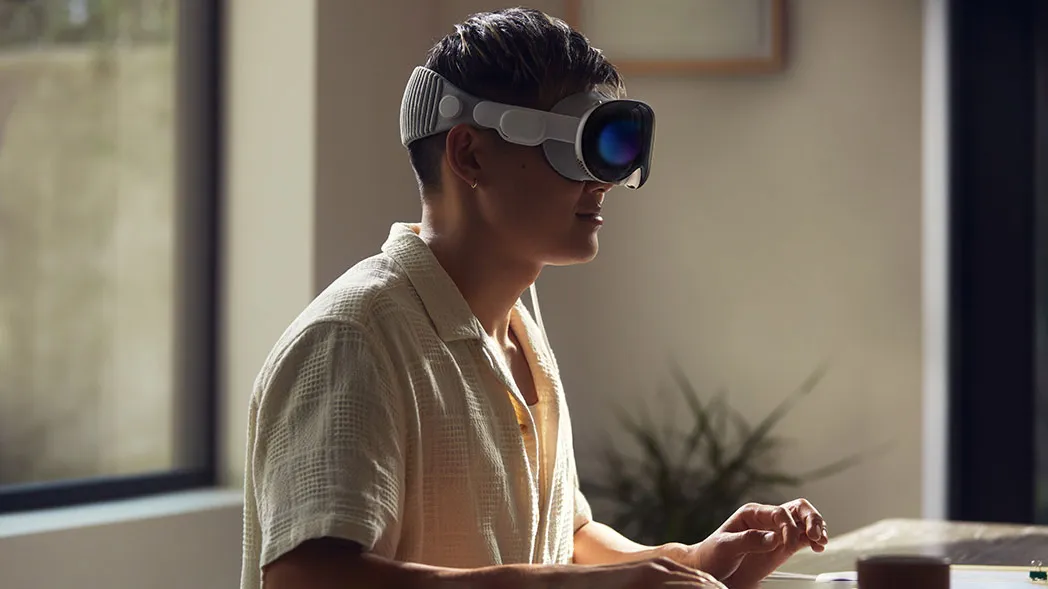
The most accessible and most common consumer VR headsets are now standalone models.
The biggest selling point of these headsets is that they don't require a PC or console to work, so are completely wireless, which is of course rather convenient for relaxing and watching movies.
The standalone market is dominated by the Meta Quest series, currently made up of the Meta Quest 3 (£550 / $600 / AU$969) and a budget 3S model (£320 / $350 / AU$569).
Both have mixed reality modes, meaning you can watch a movie while still having full view of your living room, but the Quest 3 has a higher resolution at 2064 x 2208 per eye.
Other notable standalone options include the Pico 4 Ultra (£529 / AU$1299 / around $710), which has a smaller app store than the Quest 3 but a slightly higher resolution of 2160 x 2160, and the Apple Vision Pro.
With a starting price of £3499 / $3699 / AU$6299, the Vision Pro is most certainly a premium option, but with dual micro-OLED 4K displays, it's also the most technically gifted option in the standalone category.
Tethered headsets

As the name suggests, tethered VR headsets require a console or PC to function, but benefit from the added power.
Key examples include the PlayStation VR2 (£400 / $399 / AU$650), which, of course, connects to your PS5 console through a single cable and offers an HDR OLED display with a resolution of 2000 x 2040 per panel.
For PC, there are more options. The Valve Index (£919 / $999 / around AU$1750) has long been a favourite for gamers and features a resolution of 1440x1600 per eye.
The more budget HP Reverb G2 (£520 / $599 / AU$999) boasts 4K resolution per eye, while the HTC Vive Pro 2 (£649 / $800 / AU$1999) goes one better with an incredible 5K resolution per eye if you have a powerful enough PC.
VR home cinema: the apps
So you've just got yourself a brand new futuristic VR headset. The question now is – how do you watch movies in glorious VR?
There's quite a range of options across the various app stores, from truly immersive, cinema-like experiences to clunky streamers. I've tried some of the biggest and best and given you my impressions below.
Dedicated Streaming Apps

The easiest way to watch movies on a VR headset is much like on a TV – use the dedicated streaming apps. Prime Video and Disney+ are available as native apps, though Netflix and other services are available to stream through the headset's browser or by connecting a PC.
I boot up both Prime Video and Disney+ on my Meta Quest 2, and other than the usual password typing faff, they're responsive and easy to use. They're rather basic in the world of VR cinema as they simply offer TV shows and movies with no other gimmicks, but they get the job done if you simply want to watch a movie.
As VR often excels at, it does feel like you're watching movies on a ridiculously large screen – a viewing of Avatar really does feel immersive, like a massive IMAX screen. However, while my headset is supposedly streaming in HD, the image on my Quest 2 does look somewhat blurry – the newer Quest 3 and other more powerful headsets should improve on this.
Newer headsets such as the Quest 3 also offer passthrough, allowing you a full view of the room around you while you watch your VR film. Nifty stuff.
Annoyingly, 3D movies – which could well be experiencing a second wind in VR – are exclusive to the Apple Vision Pro on Disney+, locking an impressive library of 3D films behind a rather pricey paywall.
A special mention should go to YouTube, which, while not a fully fledged streaming service, is rather well-optimised for VR. All the usual 2D videos are available to watch, as well as 'spatial' VR videos that let you move your head up to 360 degrees in some cases.
Football stadium tours, VR tourism, horror videos... there's a surprising amount of content, and it really feels like you're actually there.
Bigscreen VR

If you want to customise your viewing experience, watch with friends or even just socialise in a cinema lobby, Bigscreen VR offers an incredible amount of viewing options.
The big draw of Bigscreen VR is that you can now watch movies in a 100-foot, virtual cinema, complete with chairs, an aisle, and a huge cinema-esque screen. There are several themes available, from a 1980s cinema, a drive-in, a campfire or even a space station.
The traditionalist that I am, I chose the 'Grand Cinema' setting – it was a little eerie sitting in a huge cinema on my own, but it did recreate the immersive, magical movie-going experience in a way that living room setups can't quite match.
There's a social element, too, as you create an avatar and can invite your friends to your cinema for screenings. Or, if you're feeling particularly brave, you can join a public screening with others online.
Props are available too for a bit of fun – a free box of virtual popcorn was included in my screening, but it wasn't long before it spilt all over the virtual floor.

To complete the experience, there's an optional cinema lobby complete with movie posters, a ticket counter, various screening rooms and the chance to socialise with fellow VR movie-goers.
Watch options include native apps such as Prime Video and Disney+, but you can also watch local video files, connect to your PC or rent from select online stores. There were also a few 24/7 'channels' screening free content, but I have to say there was no one else in the virtual cinema for the Classic Doctor Who channel.
Skybox VR

If you're not watching in a group, then Skybox VR might be your go-to VR media player, especially if you're keen on watching high-quality files.
Skybox markets itself as VR media player that can play anything – including video files in formats such as AV1, MP4, MKV, MOV, TS, WEBM, 3D and VR. Its AirScreen technology also claims to stream videos wirelessly from your PC to your VR headset without a loss of quality.
Now my PC isn't home to the most high-resolution of files, but Skybox nonetheless played back video content with impressive sharpness.
There are no social options on Skybox, but virtual cinema environments are once again on offer, complete with wacky options should you wish.
If you have a lot of movies stored on your PC and are keen to watch them alone in the best quality, then Skybox might be for you.
MORE:
We rank the best projectors money can buy
Our reviewers rank the best Dolby Atmos soundbars
Our picks of the best AV receivers

