
We can't remember the last time that a TV entered our AV testing room without an included smart platform.
The list of operating systems also seems to be growing at an exceptional rate, with options such as Google TV, Tizen OS, webOS, TiVo, Fire OS and Titan OS now all vying for a spot on your TV or projector.
Some of these are developed by third-party companies and are licensed to manufacturers, whereas the likes of Tizen and webOS are developed by Samsung and LG, respectively, for their TVs.
So, what use is a dedicated streaming device? Well, you'll be surprised to find that there is actually a raft of picture, sound, and feature improvements that you can unlock by sacrificing one of your HDMI sockets for one of the three models on this list.
In our extensive testing (which you can find out more about here), we've found that picture and sound are greatly improved compared to built-in apps, and day-to-day performance also gets a boost with snappier menu browsing.
Furthermore, streaming devices have helped to plug gaps in some instances. A handful of TVs from Philips, and a few projectors that we've tested recently, don't have access to key streaming apps such as BBC iPlayer and Channel 4, and many dedicated home cinema projectors don't even come with smart systems installed.
And we've even seen a handful of streamers add previously brand-exclusive features to other TVs. The recently announced Manhattan Aero 4K, for example, will bring Freely (previously exclusive to Hisense, Panasonic and a handful of other brands) to the masses.
Last, but by no means least, these plug-and-play devices can add longevity to older TVs at a fraction of the cost of buying a whole new TV.
We've seen manufacturers drop support for software updates of older, yet perfectly good TVs, which means that users have to deal with a less-than-ideal software experience.
While 4K B;u-rays will always have our hearts, we do have a soft spot for streamers, hence why we've compiled our three favourite options on the market. They come from the three big hitters in this market: Apple, Amazon and Google.
You'll find full reviews attached to each, as well as a quick rundown of the pros and cons. With that out of the way, here are the best streaming devices for 2026.
January 2026: Added Sky Stream as our new "best subscription box" and refreshed the page for 2026. August 2025: Amazon Fire TV 4K Max takes the spot as best budget streamer.

Love it or hate it, streaming is here to stay. I've seen the rise (and fall, and then rise again) of Netflix, the monumental launch of Disney Plus, and even the renaissance of Apple TV after a slightly shaky launch. That's to say I know streaming inside and out, and I'm also a huge proponent of getting the most out of your streaming services. Paying through the nose for the 4K tier and then watching it on an underpowered, and in some cases poorly optimised, app won't do your favourite movies or TV shows justice; hence why I will always recommend a dedicated streaming device to anyone who asks. I've reviewed the biggest and best models from the likes of Apple, Amazon and Google, so I can attest as to what makes a solid streamer.
Best streaming devices: compared
Let's see how these streamers fare against each other.
Product name |
Rating |
Best for |
Max resolution |
Audio |
HDR |
|---|---|---|---|---|---|
Apple TV 4K (2022) |
★★★★★ |
Overall |
4K |
Dolby Atmos, Spatial Audio |
HDR10, HDR10+, HLG, Dolby Vision |
Google TV Streamer |
★★★★☆ |
Google TV |
4K |
Dolby Atmos |
HDR10, HDR10+, HLG, Dolby Vision |
Amazon Fire TV Stick 4K Max (2nd Gen) |
★★★★★ |
Budget |
4K |
Dolby Atmos |
HDR10, HDR10+, HLG, Dolby Vision |
Sky Stream |
★★★★★ |
Subscription box |
4K |
Dolby Atmos |
HDR10, HLG, Dolby Vision |
The best media streamer overall
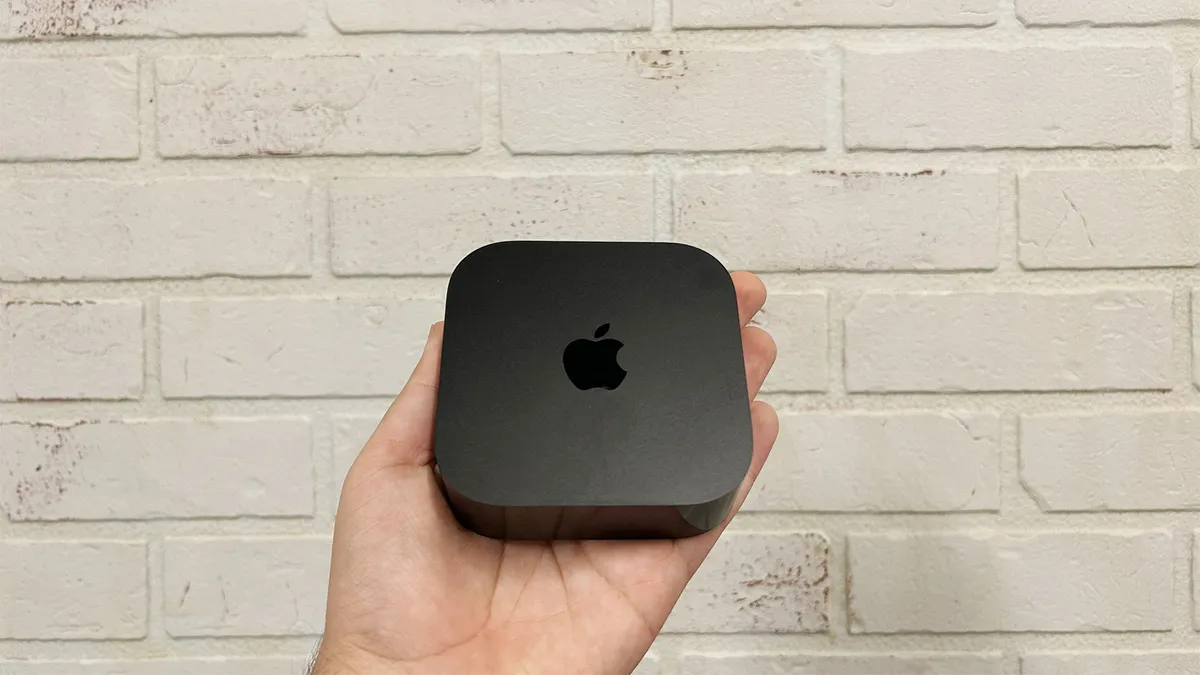
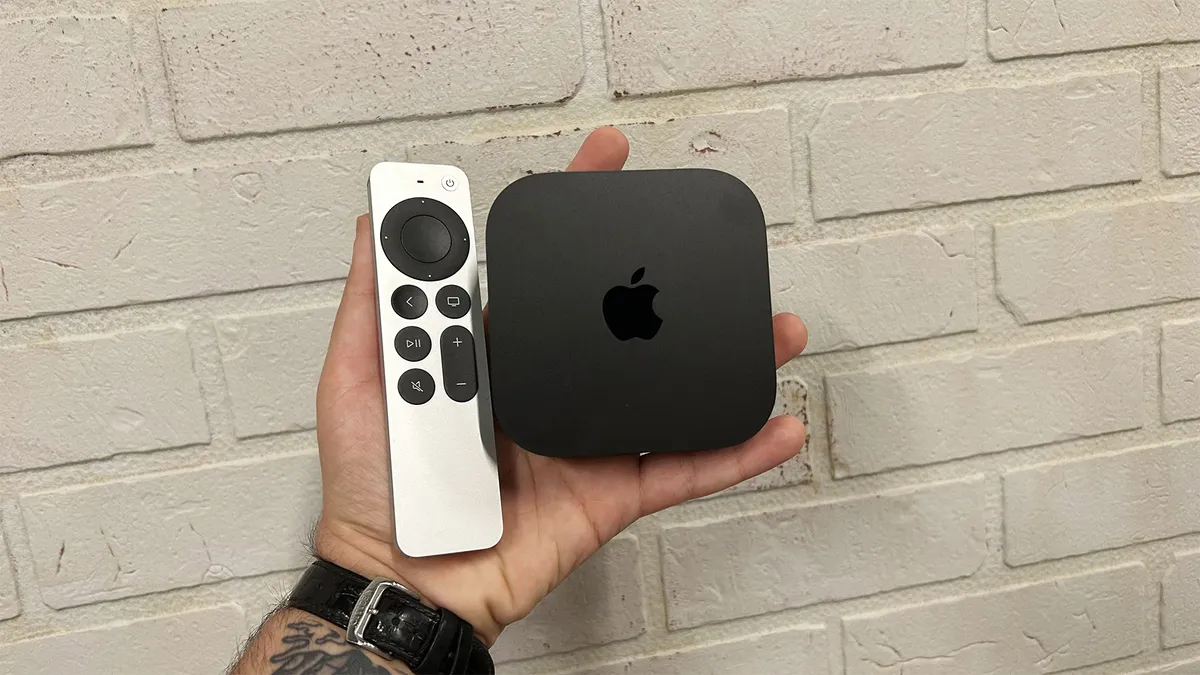


The Apple TV 4K has been our favourite streamer and an Award-winner since its release in 2021. The newest model boasts more power, smaller casework, usability upgrades and it's cheaper than the previous generation. Madness.
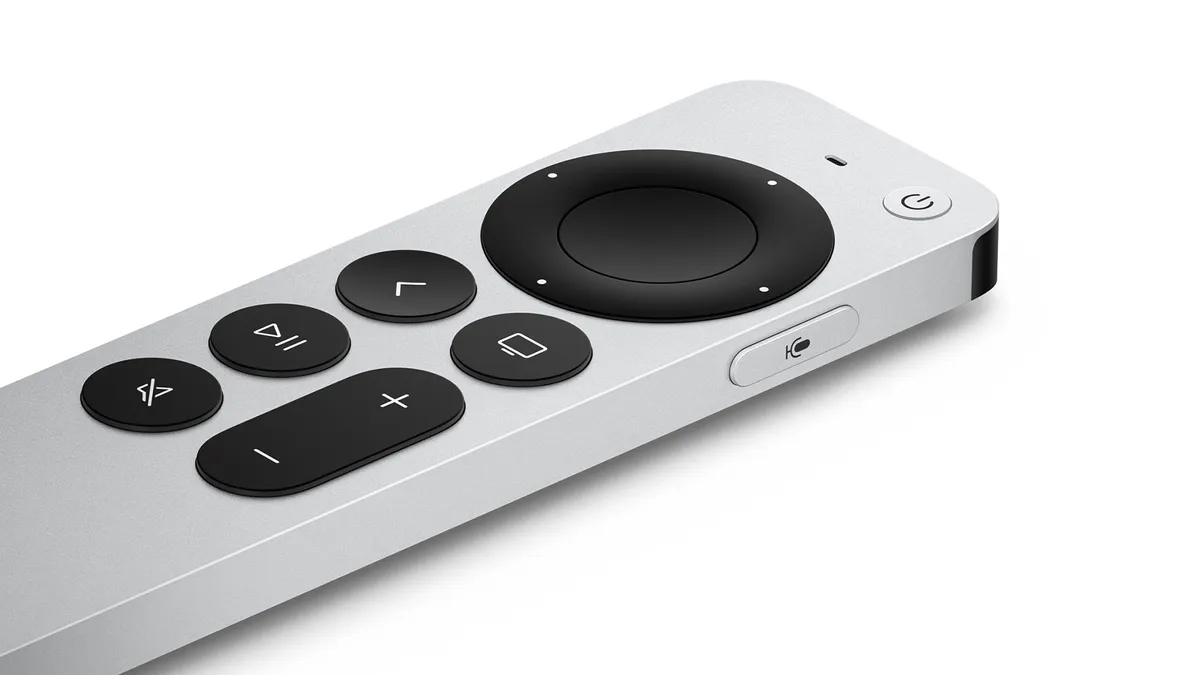
These changes aren't evident to look at it. In fact, it's nigh-on identical to the second-gen model, with the same boxy design and matte and glossy black combo finish (although it is a bit smaller). The pricier model has an Ethernet port too, alongside the standard HDMI 2.1 connection. And the remote control has a USB-C charging port in place of the Lightning of yore.
The A15 Bionic chip partners with 4GB of RAM to make it significantly faster than the previous-gen model. And visually, it's stunning: colours are bold yet balanced, skin tones look warm yet lively, while the contrast adds a sense of depth, making the picture more immersive. Add to that the warm, expressive audio performance, and you've got the best media streamer around right now.
Read the full Apple TV 4K (2022) review
The best Google TV media streamer
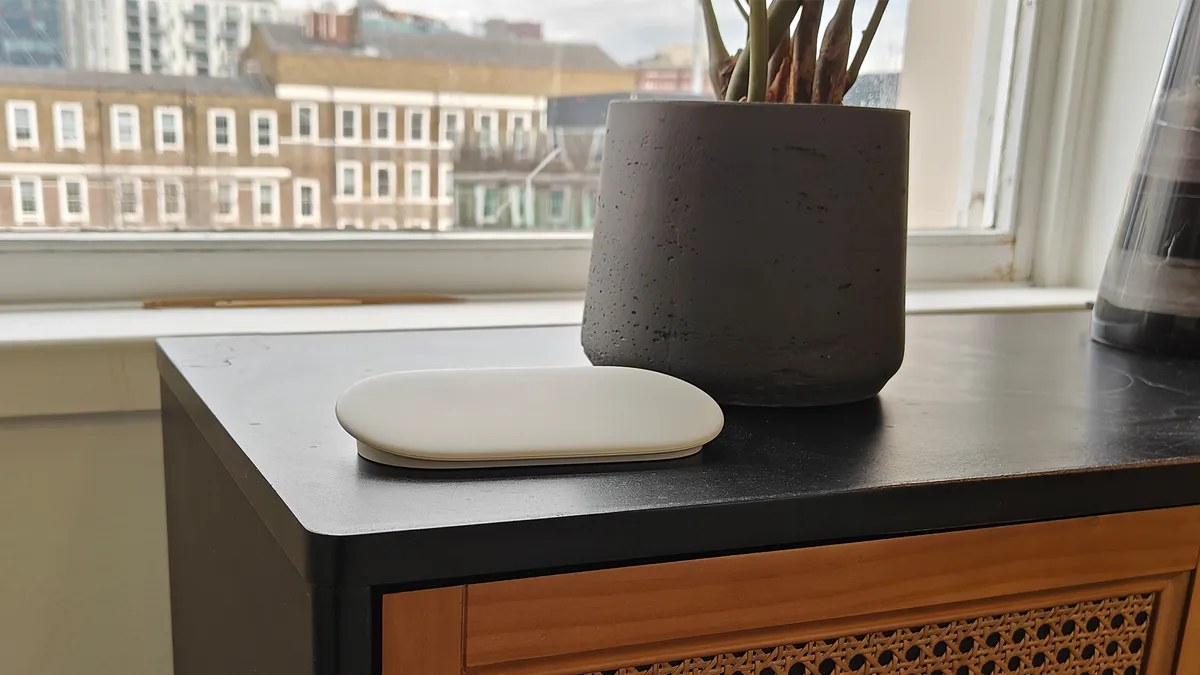


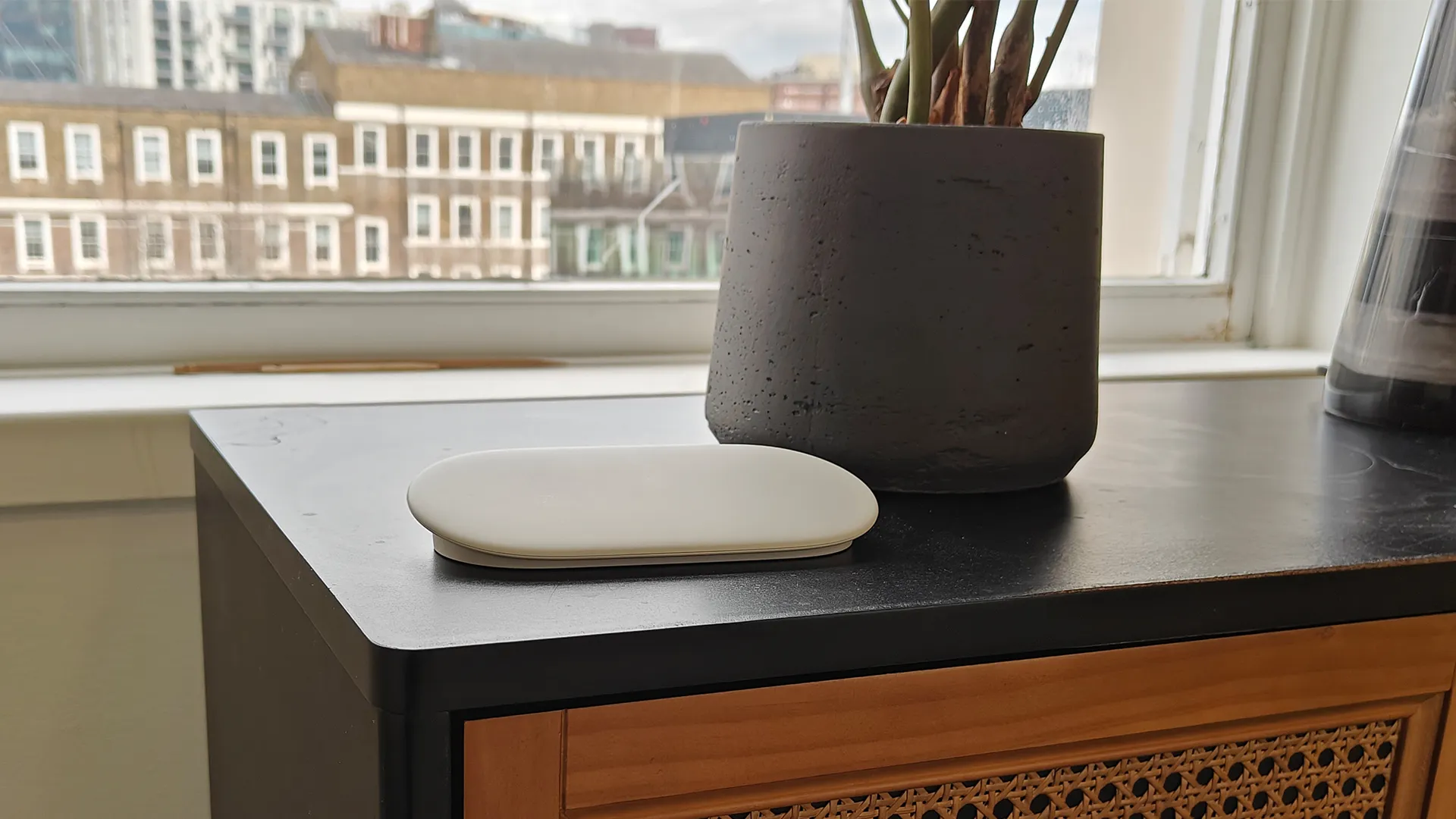


Google's follow-up to its Award-winning Chromecast with Google TV was a left-field addition to its streaming repertoire for various reasons. First and foremost, it signified the end of Google's popular Chromecast platform, both in name and function; we now live in the era of the Google TV Streamer.
This bigger and more powerful streamer has its sights set on the pricier Apple TV 4K in both form and function, rather than the Amazon Fire TV Stick 4K, which was the Chromecast's target. It's designed to sit alongside your TV rather than dangle from the HDMI port behind it, and it's got a greater focus on smart home and AI functionality.
As the name suggests, it runs the Google TV operating system, making this a solid option for Android fans with Samsung or LG TVs that require greater synergy with their chosen ecosystem. Google TV has been upgraded with Gemini, Google's AI service, which bolsters content recommendations and can even summarise the plots of entire seasons of TV shows in case you need a quick refresher before the new series lands.
In terms of picture performance, the Google TV Streamer is an admirable performer, thanks to its sharp detail and balanced colours. It's also a step-up from the Chromecast where contrast is concerned, giving the new streamer a greater sense of depth to the image. We also have to commend the fact that it supports both HDR10+ and Dolby Vision, meaning you get the most out of your content regardless of your chosen streaming service.
Unfortunately, it doesn't sound very good, which is what holds it back from achieving the full five stars. We found it to lack depth, dynamism and a general sense of engagement; overall, it can best be described as dull and uninspiring.
Ultimately, we'd still pick the Apple TV 4K (the best overall option on this list) as our choice for the top streamer; however, the Google TV Streamer is a good option for those who are all-in on Android.
Read the full Google TV Streamer review
The best budget streamer


If you're looking for a streamer that provides excellent detail levels, colours, and motion that won't break the bank, the Amazon Fire TV Stick 4K Max (2nd gen) is a great shout.
As this is an Amazon entry, the Fire OS is at the heart of the operation. While it's an overall robust yet versatile operating system, it is a bit ad-heavy. This isn't much of a surprise at such a price point, though.
But what about the picture quality? We say in our review when watching Mission Impossible - Dead Reckoning on Netflix: "There is ample detail to skin textures, and aside from a few instances of skin tones looking a tad on the warm side, the Fire TV Stick generally impresses."
Its overall punchy yet detailed picture performance makes it a strong contender against the more pricey Google TV streamer, especially with this more affordable price tag.
In terms of sound, its performance can only be described as "solid". It's not going to blow your socks off, but it nevertheless offers clear vocals and a warm overall sound.
The Amazon Fire TV Stick 4K Max's build means it can also hog the area surrounding the HDMI socket it's lodged into, meaning you may struggle to plug a cable into the adjacent HDMI port unless you use the included adapter.
Read the full Amazon Fire TV Stick 4K Max (2nd gen) review
Best subscription box
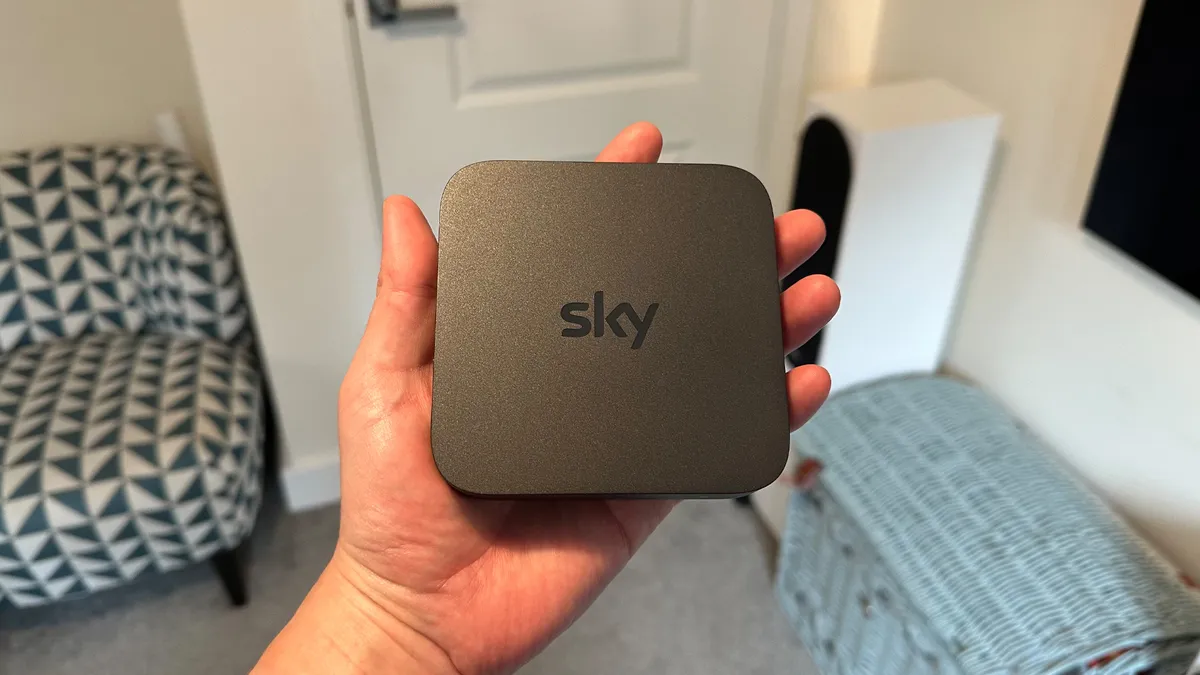


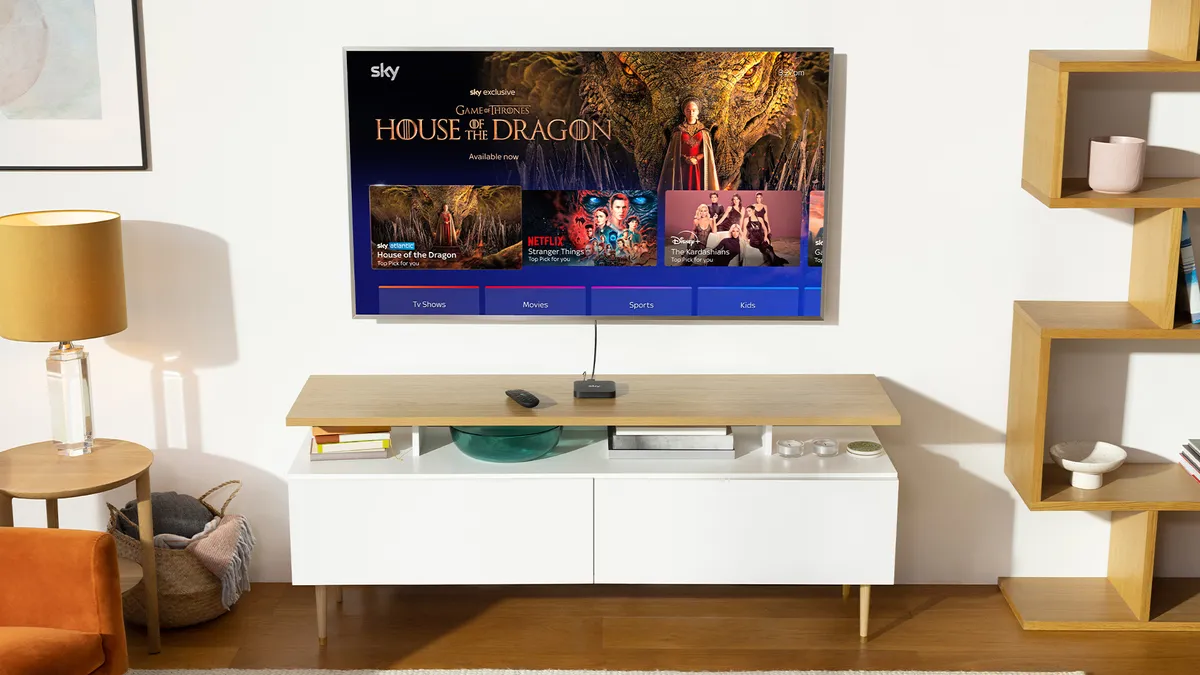


Want a streaming box that can do more than just access on-demand services? Sky's latest iteration of its subscription-based live TV service ditches the dish and scales down the box, making it easier than ever to access Sky TV.
It supports a wide range of content packages, meaning you can keep costs down to just £15/per month for the essential Sky channels, or go all out and add sports, films and more. The one frustrating omission is 4K and Dolby Atmos at the lower-end tiers, but that can be easily added at a reasonable monthly cost.
The convenience aspect isn't to be undermined, and the Sky OS platform is well built and feature-packed. However, we found ourselves equally impressed by the picture and sound capabilities of this box during our testing, which made it a worthy successor to Sky Q and subsequently replaced it at our annual Awards.
This is, of course, a more involved streaming solution than the other one-off purchases on this list; however, Sky Stream still fulfils the same streaming responsibilities.
In fact, Netflix is included with all Sky Stream subscriptions – and the box also supports a wide range of UK and international streaming apps. That's on top of Sky's existing library of live channels and on-demand content.
Furthermore, HDR10, HLG and Dolby Vision are all supported, and as mentioned above, Dolby Atmos is also on board (if you pay for it). All of this fits into a fairly small and unassuming puck that can be neatly tucked away into your media unit.
Read the full Sky Stream review
Also consider
Amazon Fire TV Stick (3rd Generation): There's no 4K or Dolby Vision, which means the resolution maxes out at 1080p, but if you want to save a few quid and aren’t worried about future proofing, there’s very little not to like about the middle child of the Amazon streaming stick family.
- Which Amazon Fire TV Stick should you buy? The full range, compared
How to choose the best media streamer for you
The best media steamers will provide a total and endless supply of TV shows, films and music but there are performance differences too. Some look and sound better than others.
Few smart TVs cover all the apps and a media streamer will put that right. It's a media streamer's raison d'etre to make sure that they're stacked with services. With more competition in the market than ever, prices are low, standards are high and any gaps in their app offerings could be a fatal flaw.
TV streaming devices are pretty much foolproof too. All you do is plug them into your flatscreen, connect them wirelessly to your home wi-fi network and get watching. Despite their ease of use, though, there is quite some difference in how much they cost. More advanced models that offer 4K, HDR and voice controls will charge more, but there are plenty of simple streaming sticks for those on tight budgets too.
Before you chose, bear in mind that to enjoy HD and 4K content, you'll need a fast broadband connection. Netflix recommends a steady connection of 25Mbps or higher for 4K video, for example.
You should also check which services each device offers, especially as exclusive, original TV shows and films are all the rage. So whether you want to use Apple's library or Google's, watch the latest Netflix, Disney Plus or Amazon Prime Video TV show, independent films on MUBI, or live sport courtesy of Now, our round-up of the best media streamers has you covered.
Media streamers FAQ
How fast does my internet need to be to stream 4K?
The speedier your connection the better, but as a general rule you need 25Mbps or faster for Ultra HD, and at least 5Mbps for Full HD.
Bear in mind that as you get further from your router the strength of your wi-fi signal will deteriorate, so you need to test the connection speed by your TV rather than just going by what’s coming in through your internet pipe.
Using an ethernet cable will eradicate this issue and maximise reliability, but not all media streamers offer a wired connection (or you might have to pay a bit more for a model that does, or buy an adaptor).
Do I need Amazon Prime to use an Amazon Fire TV Stick?
Amazon’s devices are certainly guilty of pushing the company’s services more than others, but while you do need an Amazon account to use a Fire TV Stick it doesn’t need to be a paying Amazon Prime one. Signing up is completely free, but unless you subscribe the only part of Prime Video you'll be able to access is the Freevee channel.
How we test the best media streamers
Testing a media streamer is a bit like reviewing a TV without a screen. Sure, you have to plug it into a television in order to assess its picture quality, but the features being scrutinised are almost identical.
Whether it’s a stick you bung straight into one of your TV’s HDMI ports, a little black box you need to find space for underneath, or something in between, we work out how easy each one is to incorporate into your setup. We’ll also consider how easy each one is to set up in the first place, and how intuitive its interface is. If it’s too complicated or too slow to react it can make day-to-day use a real pain. If it offers voice control we’ll also fully test that.
As well as ticking off which major streaming apps each media streamer offers, we’ll do the same with video and audio codecs to make sure there are no significant gaps. We’ll also test each one to check that they actually work as claimed.
After that, it’s a case of spending some serious time evaluating the video and audio performance, whether that’s with 4K or HD content, and, where applicable, downloaded as well as streamed. We test music playback as well as soundtracks, and if a device offers games, we’ll also get our thumbs in on the action.
All of What Hi-Fi?’s testing is comparative, so while it’s important to use the products in isolation and focus on finding out exactly what they’re capable of, we’ll also put them up against their rivals and our current favourites to see how they stack up against the best.
Our testing takes place predominantly in our state-of-the-art facilities in London and Reading, and while each review is written by a single member of the editorial team, all of our verdicts are agreed upon by the whole team in order to eliminate subjectivity and ensure consistency.
The What Hi-Fi? team has spent well over a century covering consumer technology, so there’s enough accumulated experience behind our reviews that you know they can be trusted to inform your buying decisions. We then pick the best products in each category to populate Best Buy lists like this one.
You can read more about how we test products here.
MORE:
Our pick of the best video streaming services
And finally the best TVs to accompany your new streaming stick
