
Choosing the best TV for your home has never been more complicated.
With an ever-growing mix of screen sizes, panel types and headline-grabbing features, it’s increasingly difficult to separate genuine performance from marketing nonsense.
That’s where our testing comes in.
Every TV we review is put through rigorous, side-by-side comparisons against its closest rivals, using real-world content including films, TV shows and games. This real-world approach allows us to identify the models that truly excel – not just on paper, but in day-to-day use.
The TVs featured below are the very best we’ve tested, spanning a range of sizes, prices and priorities, but all of them deliver an exceptional performance for their price tag,
We update this list regularly as new models pass through our test rooms, and the latest wave of 2026 TVs is now arriving.
LG's new C6 OLED was added in the last update, and since then, we've had the G6 in for testing. Why has that flagship model not made the cut? You'll have to read our LG G6 review to find out.
You’ll find both OLED and LCD options represented below, across a wide spread of sizes and budgets, but every TV on this list shares the same core strengths: excellent performance, strong features and a user experience we’re happy to recommend.
If you’re shopping on a tighter budget, it’s also worth checking out our guides to the best cheap TVs and the best TV deals. Otherwise, if you simply want to know which TVs stand above the rest right now, you’re already in the right place.
27th April 2026:
Added the Samsung U8000F to the also consider section. All other text has been checked and updated to ensure it reflects our latest buying advice.

I'm What Hi-Fi?'s TV and AV Editor, and I've been testing TVs and home cinema products (as well as hi-fi kit and headphones) for over 18 years. I've always been a massive TV nerd and got into reviewing so I could find the best TVs and recommend them to others. I firmly believe that great quality shouldn't cost a fortune, so I get just as excited about great-value sets as I do the flagship models. Overall, I'm looking for a picture performance that delivers movies and TV shows as intended, a great gaming experience, an app-packed and intuitive operating system, and good sound – though I also believe that any great TV should be combined with a great, dedicated sound system.
Best TV overall


The Sony Bravia 8 II is the successor to the five-star Sony A95L QD-OLED.
Sony has equipped this new model with its latest QD-OLED panel, claiming it delivers 25 per cent more peak brightness than the A95L, and 50 per cent more than the standard Bravia 8.
During extensive testing against both the A95L and Bravia 8, the improvements proved immediately apparent. Peak highlights display noticeably brighter intensity, with pin-prick stars glistening more piercingly against deep space backgrounds.
Bright colours also maintain exceptional vibrancy across all lighting conditions, while Sony's enhanced dark gradation work reveals shadow details that were lost on both comparison models. Folds and wrinkles in clothing, subtle facial expressions, and fine textures emerge clearly where the other sets miss these elements entirely.
The enhanced brightness combines with improved colour reproduction and superior shadow detail through Sony's XR Processor, which features a new AI scene recognition system, creating images with remarkable solidity and three-dimensional presence.
Dramatic sunrise skies appear to stretch toward the horizon with greater depth and contrast, while animated content crackles with colourful energy that maintains natural authenticity.
Getting this exceptional performance also requires minimal effort. Our testing found that simply selecting Dolby Vision Dark for Dolby Vision content or Professional mode for everything else delivers delightfully authentic results. For extra excitement, Dolby Vision Bright or Cinema modes add impact without sacrificing much in the way of accuracy. The presets proved so well-calibrated that most users won't need additional adjustments.
Direct testing with content including Alien: Romulus, Sinners, Into The Spider-Verse, and Pan demonstrated the Bravia 8 II's advantages across all material types. Impressively, we noted that bright HDR content, such as Pan, which is mastered to 4000 nits, showcased the TV's exceptional tone mapping and highlight handling. Even standard-definition content from The Thin Blue Line displayed impressively clean upscaling with notable sharpness and detail improvements.
On the sound front, Sony's Acoustic Surface Audio+ system uses the same configuration as the A95L, with two actuators vibrating the screen itself for sound reproduction, with two subwoofers providing bass support.
This creates spatial audio that ties directly to visual action while extending beyond the screen's boundaries. Our review noted excellent detail retrieval, convincing dynamic range, and natural tonal balance throughout, ranking it among the very best built-in TV sound systems available. No mean feat, but we still recommend adding a dedicated soundbar.
Elsewhere, gaming capabilities include 4K/120Hz, VRR, ALLM, and a Dolby Vision Game mode, plus "Perfect for PlayStation 5" functionality that automatically optimises HDR settings when connected to Sony's console. However, the limitation of just two full-bandwidth HDMI 2.1 sockets continues, with one doubling as the eARC port.
As for the design, it largely carries over from the A95L, with blade-style feet that must be positioned at the TV's extremes. While this prevents placement on narrow furniture, the feet can be extended to accommodate a soundbar underneath. The remote control represents a downgrade, though, losing the rechargeable, backlit functionality of its predecessor for a basic AAA battery-powered version.
Overall, the Bravia 8 II is a significant upgrade across all areas, making even the excellent A95L appear somewhat flat in direct comparison.
The combination of enhanced brightness, superior shadow detail, and refined AI processing creates images with astonishing dynamism and realism, representing an impressive advancement in OLED tech.
For those seeking exceptional picture quality with minimal setup effort and outstanding (by TV standards) built-in sound, the Bravia 8 II won't disappoint.
Read the full Sony Bravia 8 II review
Attributes | Notes | Rating |
|---|---|---|
Picture | Transformative brightness, vibrant colours and exceptional shadow detail create astonishingly realistic images | ★★★★★ |
Sound | Sony's Acoustic Surface Audio+ delivers spatial, detailed sound that ranks among the best available | ★★★★★ |
Features | Excellent gaming specs and apps, but limited HDMI 2.1 sockets may disappoint | ★★★★☆ |
Best cheap TV


TCL really does cover all bases. Because, as well as producing high-end fare such as the C8K, it also makes bargain TVs such as this C6KS. And quality this year is superb across the board.
Despite its impressively low price, the C6KS has Mini LED lighting, local dimming and universal HDR support – and that's just for starters. For a 50-inch TV at just a touch over £400, that's very impressive. But that's only on paper – get in front of it and you'll really see what it can do.
Despite the plasticky feet, this TCL looks a lot more expensive than it is – you only notice the plastic build when you're handling it, which shouldn't be very often at all. And trust us, you won't be focused on the frame when you're watching this TV.
Getting any dimming zones at all on a TV at this price is impressive enough, let alone 160 of them. The HVA panel brings a range of improvements, including wider viewing angles and halo control innovations to reduce backlight blooming. You even get gaming features such as ALLM and VRR (though the latter only up to the panel's maximum refresh rate of 60Hz).
The good news continues when it comes to the picture quality. Black levels are excellent for the price, with bucketloads of shadow detail. This makes dark scenes a particular, well, highlight, if that's not a contradiction in terms.
It goes very bright as well, and still performs brilliantly when doing so. "The brightness feels very organic to the 50C6KS’s picture... as well as not generally straining the TV’s black levels and local dimming controls, it doesn’t cause the brightest colours to start looking faded or washed out," we wrote in our review.
There's plenty of refinement and subtle toning of colours. But the picture isn't perfect. Some detail is lost in the brightest highlights, and moving objects do lose a little resolution. Dolby Vision Dark can also go a little too dark, costing it detail. Considering the price and the rest of the performance, though, these flaws are easy to accept.
It supports both Dolby Atmos and DTS Virtual X, and the sound is very impressive, outperforming some much more expensive TVs. It's detailed and projects well, with clear dialogue. It could use more bass, but what low end it does have doesn't distort.
All told, this is a total TV bargain. If your budget is limited and 50 inches works for you, we recommend tha you don't hesitate.
Read the full TCL C6KS review
Attributes | Notes | Rating |
|---|---|---|
Picture | It might not be perfect, but for the price, it's truly outstanding | ★★★★★ |
Sound | Lacks bass, but projects well, with detail and clear dialogue | ★★★★★ |
Features | Good gaming specs for the money, impressive panel tech, and total HDR support | ★★★★☆ |
Best new TV


If you’re determined to buy one of the very latest TVs rather than taking advantage of the huge discounts currently available on 2025 models, the LG C6 is the new benchmark to beat.
At first glance, it might not seem dramatically different from its predecessor, as the 55- and 65-inch versions still use broadly the same WOLED panel technology.
But, thanks to LG’s new Alpha 11 Gen 3 processor, the C6 squeezes noticeably more performance from that hardware, delivering a brighter, richer and more refined picture than the already excellent C5.
Highlights pop more, colours have a touch more warmth and depth, and the extra brightness gives images greater punch and dimensionality without sacrificing the natural, cinematic balance that makes LG’s OLEDs so appealing.
Upscaling and shading are subtly improved, too, while gamers remain exceptionally well served thanks to four HDMI 2.1 sockets supporting 4K/165Hz (as well as the more console-friendly 4K/120Hz), VRR and Dolby Vision gaming.
Right now, heavy discounting on 2025 TVs means even this superb new model looks relatively expensive. But if you want a brand-new TV from the latest generation rather than a discounted predecessor, the LG C6 is an outstanding option.
Read the full LG C6 review
Attributes | Notes | Rating |
|---|---|---|
Picture | Brighter, richer and more refined than the already excellent C5 | ★★★★★ |
Sound | Cleaner and more expressive than previous C-series TVs | ★★★★☆ |
Features | Class-leading gaming support and superb smart platform | ★★★★★ |
Best 42-inch TV


LG has long led the way with 'small' OLEDs, and the 42-inch C5 is the best TV of its size that we've tested. It stands to reason, then, that it is now a What Hi-Fi? Awards winner.
That said, not a great deal has changed since the preceding C4, particularly in terms of design. This is a slim and lightweight TV, with low-profile feet rather than the pedestal that comes with larger versions of the C5.
Installing the feet is a doddle, but they hold the screen quite low, which can be an issue for all but the slimmest soundbars.
A soundbar is still worth adding, though, as audio quality is one of the 42-inch C5's few weak points. The built-in speakers are clear enough for everyday TV, but they lack the scale, weight and dynamics for cinematically engaging sound.
The smart platform is LG's own webOS 25, which grants fast access to popular streaming apps such as Netflix, Disney+, Prime Video and also cloud gaming services. Navigation is simple, but it's a shame that UK buyers still get the older version of LG’s traditional “clunky” Magic Remote, which lacks backlighting and USB charging.
Under the hood, the TV is powered by LG’s Alpha 9 Gen 8 chip. This brings with it a small boost to brightness, as well as improved upscaling, more accurate tone-mapping in HDR, and enhancements to colour retention in dim scenes.
On the features front, the C5 offers a very strong spec sheet for gamers: four full-speed HDMI 2.1 ports, support for 4K at up to 144Hz, VRR, ALLM, and a Dolby Vision Game Mode. HDR formats are well covered too, including HDR10, HLG and Dolby Vision. HDR10+ isn't supported, but this is neither a surprise nor much of a loss.
In terms of picture quality, the C5 delivers a cinematic and sharply detailed image. In its default settings, it can feel a little artificial, but switching to Filmmaker mode (with motion smoothing off) yields a much more natural and immersive look, with good contrast, solid peak brightness, and three-dimensional depth.
All told, the 42-inch LG C5 is a brilliant small OLED that delivers top-tier gaming specs, excellent visuals, and a compact form that suits tight spaces. While the sound and remote leave something to be desired, its picture and features make it a very compelling choice.
Read the full LG OLED42C5 review
Attributes | Notes | Rating |
|---|---|---|
Picture | Sharp, solid and detailed without exaggeration | ★★★★★ |
Sound | Weak, even by small TV standards | ★★★☆☆ |
Features | Great app selection and flawless gaming specs | ★★★★★ |
Best 48-inch TV


The 48-inch size is a very competitive field, but Panasonic has emerged victorious against tough rivals from Samsung and LG.
The Z90B retains Panasonic's "as the director intended" ethos, which is impressive at this small size. It also keeps Panasonic's rather utilitarian design, which isn't the most attractive around. But it is nice and thin, which is especially handy for wall mounting.
The built-in soundbar makes a return, which is both a blessing and a curse. It's a blessing because it does sound better than a lot of TVs this size, but a curse if you already have a soundbar and don't want to pay for a less good built-in version.
It also has a heatsink to boost brightness without risking burn-in and panel degradation. It's an addition we've been wanting from a TV at this size for some time.
Panasonic's latest-gen HCX Pro AI Processor MKII chipset also features, which is the same as seen in the Z95B, and enables AI processing. This also has Panasonic’s 4K Remaster Engine upscaling and a calibrated mode for Amazon Prime Video. And the TV can be Calman calibrated for near-perfect picture accuracy.
The Fire TV OS has all the usual streaming apps, though it is still a little ad-heavy for our liking. And HDR support is comprehensive. You do only get two HDMI 2.1 ports though, whereas Samsung and LG's rivals have four. But otherwise it's well-specced for gaming, with VRR and ALLM, and a maximum refresh rate of 4K/144Hz.
So how does it perform? Excellently.
Filmmaker mode provides the best picture we've seen from a 48-inch TV this year. Colours are warm and rich, with a level of detail that lots of rivals lack. Skin tones have the right colour volume in all lighting conditions, with a warmth even in the darkest parts of a character's face. It's just as impressive as with the brightest parts of the picture.
"Each part is full of detail without any loss of authenticity or addition of artificiality," we wrote in our review.
It's more discerning with its brightest highlights too, which gives them more impact. The downside is that it's not as bright as some 48-inchers, which costs it some 'wow' factor. The detail is there, but you might have to look for it.
Those who appreciate a more authentic picture will love it. But if you want colours that pop and a set that dazzles, maybe look elsewhere.
It's also the best-sounding 48-inch OLED we've tested of late. Its built-in soundbar isn't a patch on even an affordable dedicated standalone model, but it is very good for a TV, with decent separation and a good level of low-end heft.
Read the full Panasonic TV-48Z90B review
Attributes | Notes | Rating |
|---|---|---|
Picture | The best of any 48-inch TV this year, although it's not the brightest around | ★★★★★ |
Sound | The built-in system is better than most, but still lags behind a standalone soundbar | ★★★★☆ |
Features | Only two HDMI 2.1 sockets, but otherwise flawless | ★★★★★ |
Best budget large TV


TCL has really knocked it out of the park lately, having delivered an impressively consistent range that combines really accessible pricing with eye-opening specs and thrilling-but-measured performances – and the C7K (the QM7K in the US) is the performance-per-pound pick of the bunch.
This Mini LED TV boasts (on the 65-inch model tested) 1008 dimming Zones, Quantum Dot colours, and a claimed peak brightness of 2600 nits. Those figures are pretty much flagship-level, yet the pricing is very much lower mid-range.
Design-wise, the C7K feels surprisingly premium for the price. It’s framed in a slim brushed-metal bezel, with a narrow back housing a multi-channel Bang & Olufsen speaker array.
The central stand does a neat job of hiding cables, and the whole build is slimmer than the step-up C8K, making it a solid pick for wall-mounting.
The C7K's remote is plastic rather than metal, but still feels weighty, and it's smartly laid out, with direct buttons for Netflix, Amazon Prime Video, YouTube, Disney+ and TCL’s own Channels.
For gaming, the C7K is well spec’d: four HDMI ports, two of which are HDMI 2.1 affairs with support for 4K/144 Hz, VRR and ALLM. There's a Dolby Vision game mode, too.
All HDR bases are covered, with HLG, HDR10, HDR10+ and Dolby Vision all on board.
As impressive as the specs are, the picture is where the C7K really shines. Its local dimming is incredibly effective, especially given the price. Bright highlights are punchy, while blacks are deep and natural, even in demanding HDR scenes.
Shadow detail is excellent, and there’s very little distracting haloing or brightness fluctuation during scene changes.
Colour is bold and vibrant in the Standard preset, while the Filmmaker Mode delivers accurate, more faithful tones without feeling dull.
Processing is strong, too. TCL’s AiPQ engine upscales HD content well, enhancing sharpness without introducing noise or artefacts. And motion handling is also solid – 24 fps film content plays back cleanly with minimal judder.
Those Bang & Olufsen speakers, meanwhile, sound clean and detailed, especially in the mid-range and treble, but bass is limited. The low end doesn’t have quite the punch you would want for really cinematic moments, and very dense soundtracks can feel a little constrained.
Even so, the C7K is a remarkably capable Mini LED TV for its price. Between its blistering brightness, deep contrast, gaming credentials, and strong smart platform, it offers premium-calibre performance at a much more accessible level.
Read our full TCL C7K review
Attributes | Notes | Rating |
|---|---|---|
Picture | Awesome brightness, impressive backlight control and vibrant colours | ★★★★★ |
Sound | Clean and clear, but more bass depth and weight would be nice | ★★★★☆ |
Features | All of the apps you could need and very good gaming specs, though only across two of the HDMIs | ★★★★☆ |
Best super-sized TV


How does TCL do it? This TV is a 98-inch monster with sound by Bang & Olufsen, yet for the size it's eminently affordable, especially given its great performance.
Design-wise, it's all picture, with a very slim bezel and blade-style feet. You will need a large TV cabinet to accommodate it though, as its feet can only sit in the one position.
You get 3000 nits of brightness controlled with 2000 dimming zones, plus TCL's Halo Control features, which aim to reduce the effect of backlight blooming. This is aided by an anti-glare film that reduces reflections.
Google TV brings all the usual streaming suspects, though not Freeview Play or Freely. And it's very well equipped for gamers, with VRR, ALLM, a dedicated Game Bar menu and a 144Hz refresh rate. You also get a full complement of HDR format support, but only two HDMI 2.1 ports.
It also has a great picture. In fact, in our review we said that "pretty much everything about the 98C7K’s pictures is spectacular." The brightness is intense, especially at this size, with small HDR highlights looking every bit as dazzling as on pricier TVs. Halo Control does a stellar job of suppressing any unwanted blooms of light emerging.
It can go dazzlingly bright, but doesn't sacrifice subtlety. And its Filmmaker mode is a masterclass in authenticity.
There is a touch of clouding, but not enough to harm the set's excellent contrast. And Dolby Vision Dark mode does tend to crush a few details out of the picture. There are a couple of other niggles too, but they're small fry in the face of the picture's overwhelmingly positive attributes.
The B&O sound system is detailed and clear, and never becomes overstated, harsh or brittle. But it lacks the same level of bass as a dedicated soundbar.
Again, it's a minor quibble. This huge TV is a big deal indeed.
Read the full TCL 98C7K review
Attributes | Notes | Rating |
|---|---|---|
Picture | Bright, subtle, and of course massive, this is the picture to beat at this size | ★★★★★ |
Sound | Could do with more bass, but otherwise very capable indeed | ★★★★☆ |
Features | Limited to two HDMI 2.1 ports, but feature-packed with all the streaming smarts and halo suppression tech | ★★★★☆ |
Best for gaming

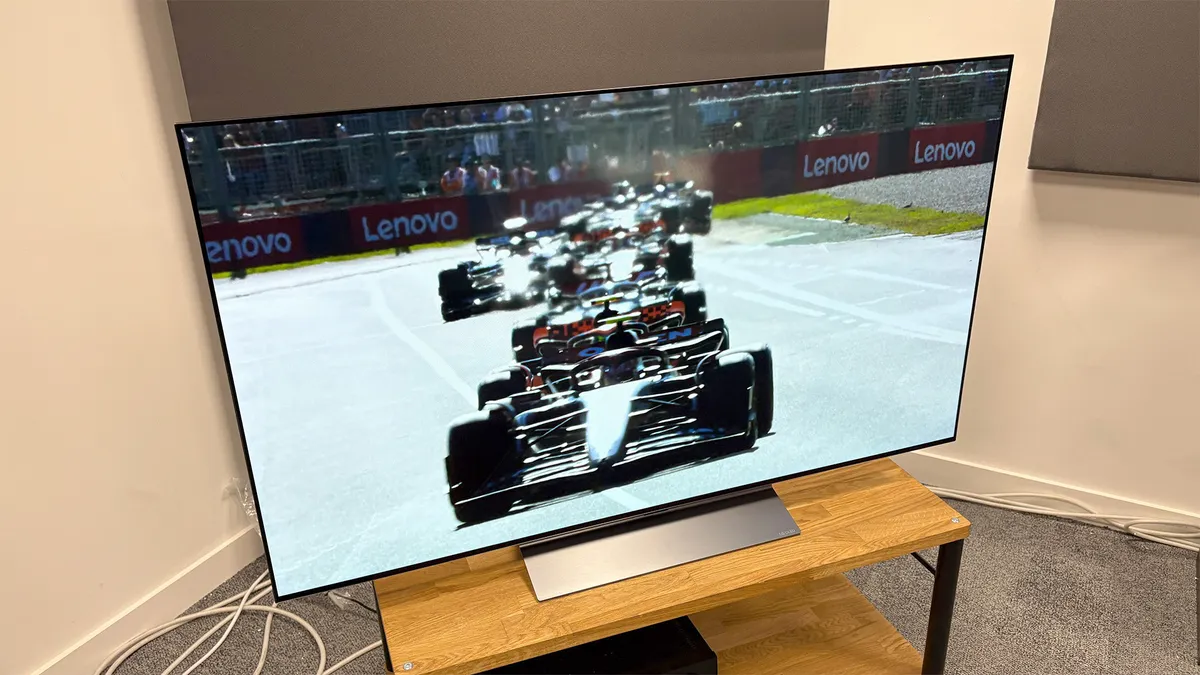
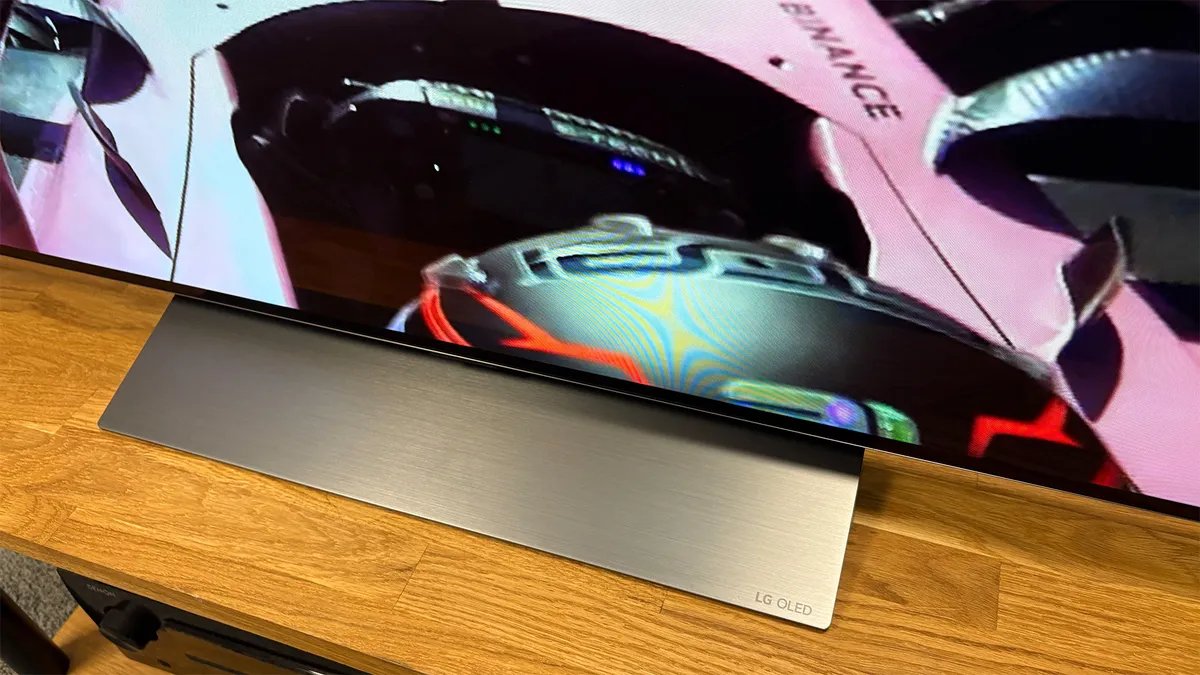
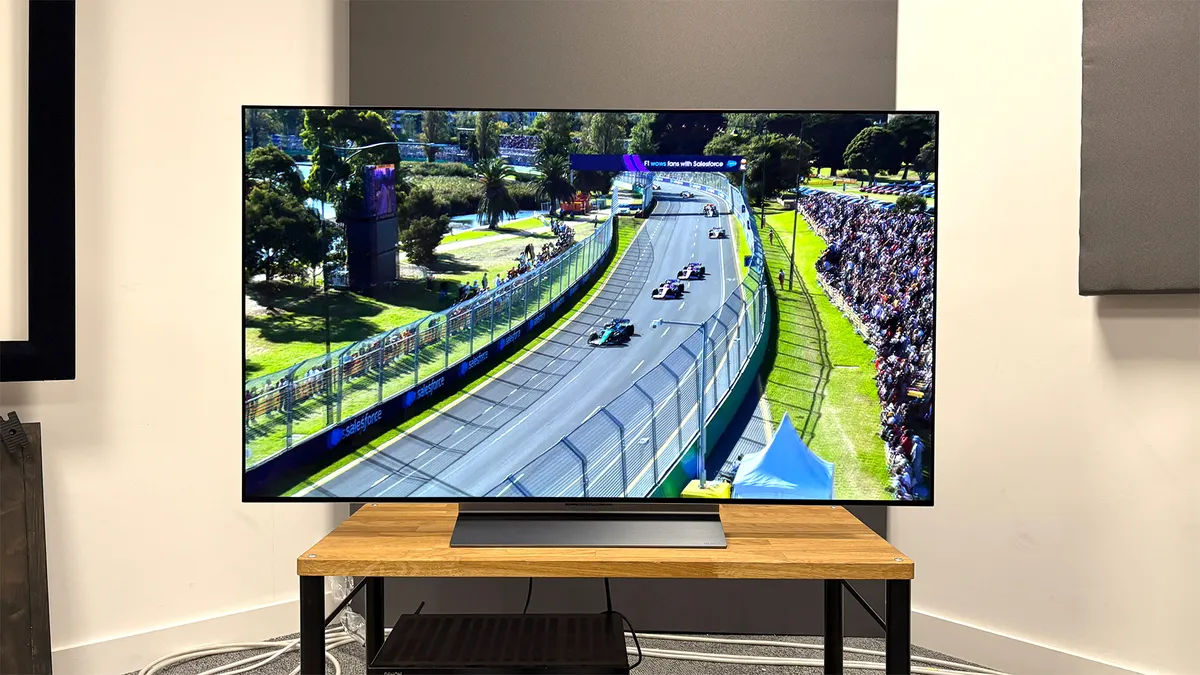


The newer C6 has now arrived and brings a meaningful performance upgrade, but thanks to the huge discounts currently available, the C5 remains the better buy for most people.
LG's C-series models have long been the most popular OLED TVs in town, thanks to their combination of exceptional picture quality, uncompromised features and relatively accessible pricing.
Each year, the brand attempts to squeeze yet more performance out of what is essentially the same W-OLED technology. It's more successful some times than others – but for the C5, it's been very successful indeed.
The claimed upgrades roughly amount to just a small increase in brightness and some new AI software features, but the improvements to real-world viewing are far more significant.
Getting a great picture is just as easy as before: select Filmmaker Mode and your preferred level of TruMotion processing (ours is Cinematic Movement), and you've immediately got a picture that's both authentic and dynamic.
The small amount of additional brightness makes the picture pop more than before, and colours are fabulously rich and vibrant, but the TV is still balanced and cinematically accurate.
Sharpness and solidity are much improved, too, and there's a three-dimensionality that gives even the Sony Bravia 8 a run for its money.
The feature set, as expected from an LG OLED, trumps that of any Sony model. That's thanks in part to the slicker webOS smart platform, but mostly because of the four HDMI 2.1 sockets, each of which supports 4K/144Hz (and 4K/120Hz) gaming with VRR and ALLM.
As with previous C-series models, Dolby Vision gaming is supported, too, and there's a peerless HGiG setting that makes it dead simple to get your HDR games looking excellent and accurate.
Sound quality is far less impressive. There's plenty of clarity and even some warmth to voices, so daytime TV is fine, but there's not enough weight, punch or dynamic range for a satisfying movie experience.
We generally don't mark TVs down for their audio quality, as none sound very good, so we always recommend adding a separate sound system, but if you are determined to live with your TV's built-in speakers, the Sony Bravia 8 is the better option.
Read the full LG C5 review
Attributes | Notes | Rating |
|---|---|---|
Picture | Exquisite for movies thanks to the super simple Filmmaker Mode | ★★★★★ |
Sound | The chink in the C5's armour – it's merely fine, so leave some budget for a dedicated sound system | ★★★☆☆ |
Features | The gaming specs remain unsurpassed, and its feature set consistently stacked | ★★★★★ |
Also consider
Samsung S95F
Samsung's flagship QD-OLED shares a panel with the Sony Bravia 8 II, and it gets close to it on performance, too. If you don't mind trading a small amount of accuracy and three-dimensionality for a fancier design and extra HDMI 2.1 sockets, the S95F is the TV for you.
LG G5
LG's flagship 4K TV for 2025 features brand new Primary RGB Tandem OLED technology in place of the G4's MLA tech. It's a really big step forward, particularly in terms of full-screen brightness and colour reproduction, and the G4's stylish design and excellent feature set remain. Ultimately, we feel the Bravia 8 II is the better all-rounder, but the G5 is well worth considering, particularly if you're a big gamer.
Philips OLED910
The Philips OLED910 features the same Primary RGB Tandem OLED panel as the LG G5 and Panasonic Z95B, but it combines this with classier styling, delightful Ambilight and an excellent integrated sound system by B&W. What's more, it costs less than its flagship OLED rivals, too. The Bravia 8 II ultimately performs even better, but this Philips is a great, slightly more affordable alternative.
Sony Bravia 5
Sony's most affordable Mini LED TV looks much weaker on paper than most of TCL's current TVs, but the Japanese brand has squeezed every last drop of performance out of the hardware and combined it with excellent, considered picture processing to superb effect. A great option if you don't want or can't quite afford an OLED such as the LG C5.
Philips OLED760
While it's a little too expensive to be considered a true budget TV, the Philips OLED760 a exceptional value for an OLED, particularly when you factor in the quality of its picture performance. If you're prepared to stretch your budget beyond the TCL C7K, this is a great option, particularly if you value perfect blacks, Ambilight, and having lots of HDMI 2.1 sockets.
Samsung U8000F
If you want a large TV and the TCL C7K/QM7K is outside your budget, you could do much worse than the 65-inch Samsung U8000F, which is generally available for about half the price of the TCL model. It's admittedly not in the same league in terms of specs or performance, but it offers a nicely balanced and punchy picture for its very low price.
How to choose a TV
There’s no single TV that’s perfect for everyone, but your ideal TV is almost certainly on this page. You just need to figure out your budget, how big you want to go, and what technologies are important to you.
Budget and space
Only you will know how much budget and space you have to use, although you will find a handy guide to choosing the right size of TV further down this page.
Panel technology
The next thing to consider is the panel technology. OLED now rules the roost at the premium end of things and is hugely popular thanks to its perfect blacks and pixel-level contrast control. LCD is still a huge deal too, though, particularly at the budget end of the market that OLED currently can’t touch. There are plenty of premium LCD-based TVs that are great, too, most notably Samsung’s top QLEDs, which combine Quantum Dots with Mini LED backlights to deliver the brightest, most vibrant pictures possible. There's also Micro Lens Array (MLA) technology, which uses a layer of microscopic lenses on top of the OLED pixels to achieve even more dazzling levels of brightness.
Streaming apps
Also, consider whether the TV you’re looking at has all of the streaming apps you want. While some apps, such as Netflix and Prime Video, are now commonplace, there may be an app that you love that’s less common. The Crunchyroll anime app is a good example. It’s also sadly the case that some streaming apps don’t work as they should on certain TVs. For example, many Google/Android TVs support Disney+, but not with Dolby Atmos. That’s why we manually check not only that every major app is present, but that it’s working at its best.
Gaming features
Serious gamers also need to check that their prospective new TV supports all of the latest gaming features. The most technically advanced and therefore rarest of these is 4K/120Hz, which is supported by the PS5, Xbox Series X and advanced gaming PCs, and results in a more responsive gaming experience. Bit also look out for VRR (which reduces stutter in games) and ALLM (which automatically switches the TV to its game mode when you load one up), both of which are very much worth having. There are a number of TVs on this list that support all of these features, but we have a dedicated best gaming TVs guide for those to whom gaming is the primary concern.
Sound
Finally, you need to consider sound, but that doesn’t mean you should dismiss a TV just because it doesn’t sound good. The disappointing truth is that even the best-sounding TV is far behind a decent soundbar for audio quality, so we always recommend focusing on picture quality when buying a TV and budgeting for a dedicated sound system to go with it. We know that’s not an option for everyone, though, so we do of course test a TV’s speakers as thoroughly as its screen. If the audio quality matters a lot to you, you’ll find all the necessary info below. There’s also a TV in this list that’s serious about Dolby Atmos sound.
How we test TVs
A modern TV is a complex, all-singing, all-dancing bit of kit, so we take days to thoroughly test each model.
The bulk of our testing involves feeding various movies and TV shows into the TV on test and its closest rivals (we have a stockroom full of reference models) simultaneously, using a 4K Blu-ray player such as the Pioneer UDP-LX500 and an HDMI splitter. Here, we're testing all aspects of picture quality using DVDs, 1080p Blu-rays and 4K Blu-rays, in both HDR and SDR.
We don't simply accept a TV's out-of-the-box settings, of course. We don't go down the route of professionally calibrating the TVs we test (you shouldn't have to have your TV professionally calibrated to experience its full potential) but we do spend hours testing and adjusting the picture settings and processing modes – using a mix of test patterns and real-world content – until we're confident that we're getting the best performance possible.
We test streaming as well – both in terms of how the TV handles streamed content, which is lower in bit-rate than content from discs, and the streaming apps that the TV natively supports. We manually check that every major app – from Netflix to All 4, Prime Video to Spotify – is not only present but also output in the video and sound formats that it should. Just because a specific app is present doesn't mean it's delivering in all the formats (Dolby Vision and/or Atmos, for example) that it advertises. Experience tells us that it often isn't.
For gaming, we connect both a PS5 and Xbox Series X so we can see how the TV's qualities translate to games and check which advanced gaming features it supports and on which HDMI inputs. Is 4K/120Hz supported? How about VRR? Is there a Dolby Vision game mode? Is there an HGiG preset for more accurate HDR tone mapping? We check all these things and measure input lag using a Leo Bodnar device.
We almost always recommend combining any new TV with a dedicated sound system – at least a soundbar but preferably an AV amplifier and speaker package – but we appreciate that for many people that simply won't do, so we do of course test and rate the built-in sound system for clarity, tonal balance, spaciousness, detail, dynamics and plenty more besides.
All of this testing is conducted by our expert reviewers, who have decades of combined TV reviewing experience, in our state-of-the-art testing facilities in London. This gives us complete control over the testing process, and because all reviews are conducted by a team rather than an individual reviewer, we ensure consistency and fairness.
TV FAQ
What size TV should you buy?
While it might be tempting to think that bigger is better, the size of set that’s right for you is dependent on how close to the screen you’ll be sitting, and the resolution of the source material you’re watching.
Luckily, an organisation called the Society of Motion Picture and Television Engineers (SMPTE) has published detailed guidelines on exactly how far you should sit in order to optimise the performance of your TV.
If you’re sitting the correct distance from your TV, you’ll see lots of detail, good edge definition and smooth, clean motion, but if you’re sitting too close to the screen, then you’re going to see more picture noise and artefacts.
On the other hand, sit too far away from the TV and you’ll struggle to pick up all the picture detail your TV has to offer.
The following distances are a good place to start:
42-inch TV – 1.28m (4.2ft)
43-inch TV – 1.32m (4.3ft)
48-inch TV – 1.46m (4.8ft)
50-inch TV – 1.52m (5ft)
55-inch TV – 1.68m (5.5ft)
65-inch TV – 1.98m (6.5ft)
75-inch TV – 2.29m (7.5ft)
85-inch TV – 2.59m (8.5ft)
Here's a full guide on how to calculate the right viewing distance for your TV.
Should you buy a 4K or Full HD TV?
This question is pretty much moot now, as the vast majority of TVs are now 4K. It's actually rather hard to find Full HD (1080p) models, even at relatively small sizes.
If you're buying a TV below 32 inches and can save a lot of money on a Full HD model, by all means go for it (4K won't be a huge benefit at that sort of size anyway), but otherwise 4K is both worthwhile and, in all likelihood, your only option. Here's how 4K vs 1080p resolutions differ.
Should you buy an 8K TV?
You can now buy 8K TVs from a number of brands, including Samsung, LG and Sony. It's important to note, though, that almost no native 8K content is available. If you buy one of the best 8K TVs now and want to show off its ridiculously high resolution, you'll have to do so using nature, scenery and space footage from YouTube. At this stage, no streaming services have even hinted at launching 8K content, and it seems unlikely that an 8K disc format will ever materialise.
For those reasons, it's hard to recommend that most people pay the extra for an 8K TV at this stage. That said, if you've got deep pockets and want to be as ready as possible for the potential 8K content of the future, there's no real harm in going for an 8K TV now, particularly as models such as the Samsung QN900B make current 4K content look better than ever.
Should you buy an HDR TV?
High Dynamic Range is without a doubt a much bigger deal than 8K, and certainly something you should consider before buying your next TV.
Essentially, the higher the dynamic range (brightness and colours), the more lifelike the picture. HDR offers greater subtlety and depth of gradations of colours, plus stronger contrast.
There are various types of HDR out there, and with different TV brands backing different variants, it can be a minefield trying to find the best option. Allow us to explain.
First up is HDR10, which is essentially the core HDR format that every HDR TV should support.
HDR10 is a static HDR format that applies the HDR values on a scene-by-scene basis (i.e. whenever the camera cuts to a new scene). Dolby Vision, on the other hand, applies this image information (called metadata) on a frame-by-frame basis. This dynamic form of HDR, when implemented properly, has the potential to improve upon the standard HDR10 presentation.
HDR10+ is a rival format to Dolby Vision. Created by Samsung, it also uses dynamic metadata but, whereas Dolby Vision is licensed, HDR10+ is a free, open format that any company can deploy as it sees fit.
Of these two 'dynamic' HDR formats, Dolby Vision is by far the most prevalent, both in terms of TVs and content, and if you have to choose between one and the other, that's the one we'd recommend. That said, you can now buy TVs from the likes of Philips and Panasonic that support both Dolby Vision and HDR10+.
Finally in our rundown of HDR formats is HLG (Hybrid Log Gamma), which was developed specifically for broadcasting by the BBC and Japan's NHK. It's used to deliver all of the HDR content offered by the BBC and Sky, so can be considered very important. Luckily, it's now almost as common as standard HDR10 in TV spec lists, so you should have little problem finding a model that supports it.
What inputs and outputs does your TV need?
These days, it's all about HDMI, which is used to connect everything from set-top boxes to video streamers, Blu-ray players to games consoles. Thanks to ARC/eARC (Audio Return Channel / Enhanced Audio Return Channel), a single HDMI connection can even be used to output sound to an AV receiver or soundbar at the same time as it receives a video signal.
Currently, three HDMI connections is standard on budget TVs, while four is the norm for mid-range and premium models.
The specification of the HDMI connections tends to differ depending on the price of the TV, too, with premium models now commonly getting at least one or two HDMI 2.1 sockets. These have greater bandwidth than their HDMI 2.0 counterparts and can support advanced formats such as 4K@120Hz and 8K@60Hz. Fancy gaming features such as Auto Low Latency Mode and Variable Refresh Rate are often supported via HDMI 2.1 (and some HDMI 2.0) sockets, too, though not always. It's sensible to check the specs thoroughly if there are particular features you're after.
After HDMIs, USB ports are the most abundant on modern TVs. You can use these to keep devices charged (often particularly useful for stick- or dongle-style streamers), and some TVs allow the connection of flash drives and hard drives for the recording of live TV content.
On the subject of live TV, you can expect practically every TV to have an aerial socket via which it can receive Freeview broadcasts, but many also have a satellite connection. Be warned, though; the presence of a satellite connection doesn't guarantee that there's a Freesat tuner on board. Without one, you'll receive only a patchy and disorganised selection of satellite TV channels.
Other useful connections include optical and stereo outputs, which can be used in lieu of HDMI ARC to connect legacy audio equipment. Headphone outputs are still fairly common, too, though Bluetooth is also supported by most TVs now and some models now feature the latter but not the former.
Lastly, while some TVs feature composite inputs (often via an adapter), most – even at the budget end – have phased out legacy connections such as SCART. So those clinging on to old video cassette recorders, for example, should be aware of that.
Which TV smart features and streaming apps do you need?
As with 4K, it's now hard to buy a TV that doesn't have a smart platform packed with streaming apps. Almost every TV will have Netflix and Amazon Prime Video on board, and Disney+ is fast approaching a similar level of ubiquity. Apple TV (which is great for pay-as-you-go movies as well as the Apple TV+ subscription service) is becoming increasingly common, too.
You'd have thought that BBC iPlayer, ITV Player, All 4 and My5 would be present on every TV available in the UK, but there always seems to be one brand that's lacking (it was LG in 2020, Sony in 2021, Sony again and Philips in 2023) so do check before you buy if any of those are important to you.
Other apps that are less common but potentially worth looking out for include BT Sport, Now, Britbox, and music apps such as Spotify and Tidal.
What is the best smart TV platform?
There are numerous TV operating systems out there, and which one your TV uses has a massive bearing on what it will be like to use and live with, so which is best?
While there's not necessarily a simple answer to this and each platform has its pros and cons, on balance, LG's webOS is probably the best TV operating system right now. Its selection of streaming services is more or less flawless, and every app has been optimised to work at its best. It's quick and intuitive, too.
Samsung's Tizen platform used to be the best but it's become increasingly convoluted and unintuitive in recent years. Hisense's VIDAA operating system, on the other hand, is getting better all the time and should now be seen as a positive feature.
Unlike the above, Google TV (and the older Android TV) is built into TVs from various brands, including Sony, Philips and TCL. It's broadly good and always getting better, but recent Google TVs have lacked UK catch-up apps and there's often a slightly disjointed overall user experience, with the Google TV OS feeling as if it's been slapped rather unceremoniously on top of the TV's own menu system.
Amazon's Fire OS platform, which many will have experienced via a Fire Stick streamer, is also now on various TVs, mostly at the cheaper end but also Panasonic's flagship OLED model. It pushes Amazon's own content a bit, but every third-party app you could want is there and the whole platform is very user-friendly.
Should you buy an OLED, QLED or LCD TV?
LCD TVs, which require a backlight usually made up of white LEDs to show a picture on the LCD panel, are available in a wide variety of screen sizes and, thanks in part to the technology's low cost of production, at affordable prices.
OLED (Organic Light-Emitting Diode) is a panel technology that uses self-emissive particles – so there's no need for a backlight. This allows OLED TVs to be unbelievably slim, while also offering convincing pitch-dark blacks, strong contrast and superb viewing angles. LG, Sony, Panasonic, Philips and now Samsung are the big brands with OLED TVs in their line-ups and, broadly speaking, they're excellent.
QLED (Quantum-dot Light-Emitting Diode), meanwhile, is Samsung’s rival technology to OLED. A QLED TV is an LCD TV but with a quantum dot coating over the backlight. However, the quantum dots (tiny semiconductor particles) in current QLEDs do not emit their own light. So QLED TVs, like conventional LCDs, rely on a backlight. The advantages of a QLED TV? You tend to get brilliantly vibrant colours, plus bright, sharp and crisply detailed images.
Samsung's QLEDs have got better and better over the years, existing as a fine alternative to OLEDs TVs. Interestingly, though, Samsung has now launched its own range of OLED (QD-OLED) TVs.
Recent updates
27th April 2026:
Added the Samsung U8000F to the also consider section.
12th March 2026:
Added the LG C6 as the best new TV.
2nd February 2026:
Added the impressively affordable Philips OLED760 to the Also Consider section. All other text has been checked and updated to ensure it reflects our latest buying advice.
8th January 2026:
The Sony Bravia 5 and Philips OLED910 have been added to the Also Consider section. All entries and sections have been checked and updated to reflect our latest buying advice.
18th November 2025:
Big changes! The Sony Bravia 8 II has been promoted to 'best overall', while the LG C5 has been moved to 'best for gaming'. The 42-inch version of the LG C5 is now the 'best 42-inch TV', and the TCL C7K / QM7K has been added as the 'best budget large TV'. Our 'also consider' recommendations have also been overhauled, and all other copy has been updated to reflect our latest buying advice.
30th September 2025:
We've replaced the Sony Bravia 8 with the LG C5 as 'Best overall', replaced the Amazon Omni QLED 50-inch with the TCL C6KS as 'Best cheap TV', and replaced the LG OLED48C4 with the Panasonic TV-48Z90B as 'Best 48-inch TV'. We've also removed the 'Best new' and 'Best 8K' options, and added the TCL 98C7K as a new 'Best super-sized TV' category.
29th July 2025:
We've removed the Sony A95L (Best premium TV), TCL 65P755K (Best budget TV), and Sony Bravia 9 (Best Mini LED TV) from the guide. They've been replaced by the Sony Bravia 8 II, Sharp 70GK4245K, and Sony Bravia 7, respectively. All other entries and buying advice have been reviewed and refreshed to reflect our latest lab tests and recommendations.
30th April 2025:
Added the LG C5 as the 'best new TV', and added the LG G5 and Sony Bravia 7 to the 'also consider' section. All other entries and advice sections have been checked and updated to reflect our latest buying advice.
13th March 2025:
Upgrades to the Sony Bravia 9 mean it has been promoted to our choice of Best Mini LED, while the newly reviewed LG C5 has been added to the also consider section.
27th November 2024:
Removed the LG Z3 from the also consider section and added the Panasonic Z95A and Samsung Q80D.
29th October 2024:
Replaced the LG C4 with the Sony Bravia 8 as the best TV overall after side-by-side comparisons conducted for the What Hi-Fi? Awards 2024. Also replaced the discontinued TCL C845K with the TCL P755K as the best budget large TV for the UK.
12th September 2024:
Removed the Sony A80L from the list due to lack of availability and promoted the LG C4 to the top spot. The 48-inch LG C4 has also taken the place of the 48-inch LG C3 as it now costs only a little more but is a decent-sized upgrade in terms of performance. We've also added the Sony Bravia 8 and Philips OLED809 to the 'also consider' section.
15th July 2024:
Added the LG G4 to the also consider section.
23rd May 2024:
Added the LG C4 as the best 2024 TV and replaced the Samsung S95C with the S95D in the also consider section
4th April 2024:
Added the Samsung QN900D as the best 8K TV.
1st March 2024:
'Also Consider' and 'Recent Updates' sections added and 'How We Test' section rewritten with additional detail.
1st February 2024:
New author information and 'what is the best TV?' FAQ added.
12th January 2024:
Information of new models announced at CES added to intro.
3rd November 2023:
Added Sony A95L.
Round up of today's best deals
Why you can trust What Hi-Fi? Our expert team reviews products in dedicated test rooms, to help you make the best choice for your budget. Find out more about how we test.
