Have your say & ask the experts!

SACD and MDac

14 replies [Last post]
PeterDs
PeterDs's picture
Offline
Joined: 10 Apr 2012
Posts: 53

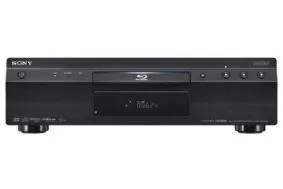
I just went and bought my SACD player (actually, a budget Blu Ray player, the Sony S485). Immediately connected the Coaxial out of the BluRay player to one of the Coaxial in ports of the MDac, which is in turn connected to my Naim XS. The SACD I am plaiyng is Dianna Krall - The Girl in the other Room. When I play this SACD, the display in my Mdac shows as "16 bit/44.100k" which is the same as for a normal CD! Am I doing something wrong?

chebby
chebby's picture
Online
Joined: 2 Jun 2008
Posts: 13188
RE: SACD and MDac

On my Sony I would have to go to...

'Music Settings' ('Help' on remote, then left arrow until you get to the toolbox symbol, then down arrow to 'Music Settings').

Then select 'Super Audio CD Playback Layer'

Then toggle from 'CD' to 'Super Audio CD' and select.

__________________

Marantz M-CR603 + AirPlay • Rega R3 loudspeakers • iPhone 5 32GB • iMac • Apple Airport Extreme 802.11n • Panasonic TX-L32D25B • Sony BDP-S390 • Ruark Audio R1 Deluxe • Humax HDR-Fox T2

The_Lhc
The_Lhc's picture
Online
Joined: 16 Oct 2008
Posts: 11119
RE: SACD and MDac

chebby wrote:

On my Sony I would have to go to...

'Music Settings' ('Help' on remote, then left arrow until you get to the toolbox symbol, then down arrow to 'Music Settings').

Then select 'Super Audio CD Playback Layer'

Then toggle from 'CD' to 'Super Audio CD' and select.

Does that actually output through the coaxial or is it only through HDMI to a suitable DSD-friendly receiver?

__________________

No signature worth mentioning...

Clare Newsome
Clare Newsome's picture
Offline
Joined: 4 Jun 2007
Posts: 13733
RE: SACD and MDac

IIRC, some 'universal' players will output SACD over coaxial/optical, but a) as noted by Chebby, you'd need to select that option and (b) the signal will be downsampled to 16/44, and be stereo only. 


__________________

Group PR Manager - Computers Unlimited;

Former Group Editor of What Hi-Fi? Sound and Vision and Whathifi.com

Twitter: @ClareNewsome

chebby
chebby's picture
Online
Joined: 2 Jun 2008
Posts: 13188
RE: SACD and MDac

The_Lhc wrote:

chebby wrote:

On my Sony I would have to go to...

'Music Settings' ('Help' on remote, then left arrow until you get to the toolbox symbol, then down arrow to 'Music Settings').

Then select 'Super Audio CD Playback Layer'

Then toggle from 'CD' to 'Super Audio CD' and select.

Does that actually output through the coaxial or is it only through HDMI to a suitable DSD-friendly receiver?

I surmised that the OP's SACD signal is outputting through coaxial, as he is listening to it through his coax connected DAC (albeit in CD quality).

I figured that it may just need pointing to the right layer on a hybrid SACD.

__________________

Marantz M-CR603 + AirPlay • Rega R3 loudspeakers • iPhone 5 32GB • iMac • Apple Airport Extreme 802.11n • Panasonic TX-L32D25B • Sony BDP-S390 • Ruark Audio R1 Deluxe • Humax HDR-Fox T2

The_Lhc
The_Lhc's picture
Online
Joined: 16 Oct 2008
Posts: 11119
RE: SACD and MDac

chebby wrote:

The_Lhc wrote:

chebby wrote:

On my Sony I would have to go to...

'Music Settings' ('Help' on remote, then left arrow until you get to the toolbox symbol, then down arrow to 'Music Settings').

Then select 'Super Audio CD Playback Layer'

Then toggle from 'CD' to 'Super Audio CD' and select.

Does that actually output through the coaxial or is it only through HDMI to a suitable DSD-friendly receiver?

I surmised that the OP's SACD signal is outputting through coaxial, as he is listening to it through his coax connected DAC (albeit in CD quality).

I figured that it may just need pointing to the right layer on a hybrid SACD.

No surmising needed, that's exactly what he said but if, as Clare suggests, the player will downsample the output to 16 bit regardless of which layer is being read then it's not going to help him much.

__________________

No signature worth mentioning...

PeterDs
PeterDs's picture
Offline
Joined: 10 Apr 2012
Posts: 53
RE: SACD and MDac

chebby wrote:

On my Sony I would have to go to...

'Music Settings' ('Help' on remote, then left arrow until you get to the toolbox symbol, then down arrow to 'Music Settings').

Then select 'Super Audio CD Playback Layer'

Then toggle from 'CD' to 'Super Audio CD' and select.


Thanks Chebby and everyone else.


Are you playing the SACD through your HDMI port or via COaxial? When I play via HDMI, I have to go to HOME/Audio Settings/ DSD output mode/ ON

At least that's what the manual says I should do.


BUT, I want to play SACD not via HDMI but via Coaxial through my MDac to my Naim XS (I have a budget AV setup and the idea of buying an SACD player was to improve on the quality from my stereo system).


So when going through the coaxial to a stereo amp, the manual gives some options (I am just copying from the manual below):

BD Audio mix setting: outputs th audio obtained by mixing the interactive and secondary audio to the primary.


Dolby Digital

DTS

DTS Neo:6

Audio DRC

Downmix


To get the most out of SACD, usng my stereo kit, what should I choose?


PeterDs
PeterDs's picture
Offline
Joined: 10 Apr 2012
Posts: 53
RE: SACD and MDac

chebby wrote:

The_Lhc wrote:

chebby wrote:

On my Sony I would have to go to...

'Music Settings' ('Help' on remote, then left arrow until you get to the toolbox symbol, then down arrow to 'Music Settings').

Then select 'Super Audio CD Playback Layer'

Then toggle from 'CD' to 'Super Audio CD' and select.

Does that actually output through the coaxial or is it only through HDMI to a suitable DSD-friendly receiver?

I surmised that the OP's SACD signal is outputting through coaxial, as he is listening to it through his coax connected DAC (albeit in CD quality).

I figured that it may just need pointing to the right layer on a hybrid SACD.


This is exactly right! But how on earth do I point to the right layer on the hybrid cd, I am lost Sad

PeterDs
PeterDs's picture
Offline
Joined: 10 Apr 2012
Posts: 53
RE: SACD and MDac

Clare Newsome wrote:

IIRC, some 'universal' players will output SACD over coaxial/optical, but a) as noted by Chebby, you'd need to select that option and (b) the signal will be downsampled to 16/44, and be stereo only. 


Thanks


Thanks Clare. I sure hope the 5 star rated S480(/485) is not one of those 'universal' players Smile

The_Lhc
The_Lhc's picture
Online
Joined: 16 Oct 2008
Posts: 11119
RE: SACD and MDac

PeterDs wrote:

chebby wrote:

The_Lhc wrote:

chebby wrote:

On my Sony I would have to go to...

'Music Settings' ('Help' on remote, then left arrow until you get to the toolbox symbol, then down arrow to 'Music Settings').

Then select 'Super Audio CD Playback Layer'

Then toggle from 'CD' to 'Super Audio CD' and select.

Does that actually output through the coaxial or is it only through HDMI to a suitable DSD-friendly receiver?

I surmised that the OP's SACD signal is outputting through coaxial, as he is listening to it through his coax connected DAC (albeit in CD quality).

I figured that it may just need pointing to the right layer on a hybrid SACD.


This is exactly right! But how on earth do I point to the right layer on the hybrid cd, I am lost Sad

Erm, Chebby's already told you how to do that in his previous post, now highlighted in bold.

__________________

No signature worth mentioning...

PeterDs
PeterDs's picture
Offline
Joined: 10 Apr 2012
Posts: 53
RE: SACD and MDac

The_Lhc wrote:

PeterDs wrote:

chebby wrote:

The_Lhc wrote:

chebby wrote:

On my Sony I would have to go to...

'Music Settings' ('Help' on remote, then left arrow until you get to the toolbox symbol, then down arrow to 'Music Settings').

Then select 'Super Audio CD Playback Layer'

Then toggle from 'CD' to 'Super Audio CD' and select.

Does that actually output through the coaxial or is it only through HDMI to a suitable DSD-friendly receiver?

I surmised that the OP's SACD signal is outputting through coaxial, as he is listening to it through his coax connected DAC (albeit in CD quality).

I figured that it may just need pointing to the right layer on a hybrid SACD.


This is exactly right! But how on earth do I point to the right layer on the hybrid cd, I am lost Sad

Erm, Chebby's already told you how to do that in his previous post, now highlighted in bold.


Hi,


Those settings in Checbby's 390 are not there in my 485, here is what I get:


HOME/Audio Settings/

DSD output mode (HDMI only)


BD Audio mix setting: outputs th audio obtained by mixing the interactive and secondary audio to the primary. (HDMI only)


Dolby Digital

DTS

DTS Neo:6

Audio DRC

Downmix

The_Lhc
The_Lhc's picture
Online
Joined: 16 Oct 2008
Posts: 11119
RE: SACD and MDac RE: SACD and MDac

That's because you're in AUDIO settings, you need to come out of there and go into MUSIC settings, which, according to page 26 of the manual, IS on your BDP:


[Music Settings]
[System Settings]
x [Parental Control Area Code]
Playback of some BD-ROMs, DVD 
VIDEOs, or Internet videos can be limited 
according to the geographic area. Scenes 
may be blocked or replaced with different 
scenes. Follow the on-screen instructions 
and enter your four-digit password.
x [BD Parental Control]
Playback of some BD-ROMs can be limited 
according to the age of the users. Scenes may 
be blocked or replaced with different scenes. 
Follow the on-screen instructions and enter 
your four-digit password.
x [DVD Parental Control]
Playback of some DVD VIDEOs can be 
limited according to the age of the users. 
Scenes may be blocked or replaced with 
different scenes. Follow the on-screen 
instructions and enter your four-digit 
password.
x [Internet Video Parental Control]
Playback of some Internet videos can be 
limited according to the age of the users. 
Scenes may be blocked or replaced with 
different scenes. Follow the on-screen 
instructions and enter your four-digit 
password.
x [Internet Video Unrated]
[Allow]: Allows the playback of unrated 
Internet videos.
[Block]: Blocks the playback of unrated 
Internet videos.
x [Super Audio CD Playback Layer]
[Super Audio CD]: Plays the Super Audio 
CD layer.
[CD]: Plays the CD layer.
x [Super Audio CD Playback Channels]
[DSD 2ch]: Plays the 2ch area.
[DSD Multi]: Plays the multi-channel area.


[Music Settings]

[Super Audio CD Playback Layer]

[Super Audio CD]: Plays the Super Audio CD layer.

[CD]: Plays the CD layer.x

[Super Audio CD Playback Channels]

[DSD 2ch]: Plays the 2ch area.

[DSD Multi]: Plays the multi-channel area.

__________________

No signature worth mentioning...

Andrew Everard
Andrew Everard's picture
Online
Joined: 30 May 2007
Posts: 29041
RE: SACD and MDac

IME all these universal players will only output the CD layer via the S/PDIF electrical or optical connection, as much for copyright protection reasons as bandwidth considerations.

DSD layer audio can only be output using HDMI (which has built-in copyright protection handshaking), as DSD into a receiver or processor able to handle this, or converted to PCM for receivers without DSD capability.

Or some players offer the option of converting the DSD data into multichannel analogue audio within the player, and then outputting it via six (or sometimes eight) RCA phonos into a suitably equipped amp. All can also convert it internally and output it as analogue stereo, which is where downmix capability comes into play if the disc only has a DSD multichannel layer, and doesn't also provide a DSD stereo one.

__________________

Consulting Editor, What Hi-Fi? Sound and Vision/whathifi.com  Audio Editor, Gramophone

PeterDs
PeterDs's picture
Offline
Joined: 10 Apr 2012
Posts: 53
RE: SACD and MDac RE: SACD and MDac

The_Lhc wrote:

That's because you're in AUDIO settings, you need to come out of there and go into MUSIC settings, which, according to page 26 of the manual, IS on your BDP:


[Music Settings]
[System Settings]
x [Parental Control Area Code]
Playback of some BD-ROMs, DVD 
VIDEOs, or Internet videos can be limited 
according to the geographic area. Scenes 
may be blocked or replaced with different 
scenes. Follow the on-screen instructions 
and enter your four-digit password.
x [BD Parental Control]
Playback of some BD-ROMs can be limited 
according to the age of the users. Scenes may 
be blocked or replaced with different scenes. 
Follow the on-screen instructions and enter 
your four-digit password.
x [DVD Parental Control]
Playback of some DVD VIDEOs can be 
limited according to the age of the users. 
Scenes may be blocked or replaced with 
different scenes. Follow the on-screen 
instructions and enter your four-digit 
password.
x [Internet Video Parental Control]
Playback of some Internet videos can be 
limited according to the age of the users. 
Scenes may be blocked or replaced with 
different scenes. Follow the on-screen 
instructions and enter your four-digit 
password.
x [Internet Video Unrated]
[Allow]: Allows the playback of unrated 
Internet videos.
[Block]: Blocks the playback of unrated 
Internet videos.
x [Super Audio CD Playback Layer]
[Super Audio CD]: Plays the Super Audio 
CD layer.
[CD]: Plays the CD layer.
x [Super Audio CD Playback Channels]
[DSD 2ch]: Plays the 2ch area.
[DSD Multi]: Plays the multi-channel area.


[Music Settings]

 [Super Audio CD Playback Layer]

 [Super Audio CD]: Plays the Super Audio CD layer.

 [CD]: Plays the CD layer.x

[Super Audio CD Playback Channels]

[DSD 2ch]: Plays the 2ch area.

[DSD Multi]: Plays the multi-channel area.


Thanks! (*grins sheepishly*)


WHen I went to the Music settings, the SACD layer had already been selected. I guess it detects automatically.


On my AV setup, the SACD sounded a lot worse than playing it (as a CD) on my stereo setup (my av amp is Yamaha V671, speakers are cheap Yamaha ones).

The_Lhc
The_Lhc's picture
Online
Joined: 16 Oct 2008
Posts: 11119
RE: SACD and MDac RE: SACD and MDac

PeterDs wrote:
On my AV setup, the SACD sounded a lot worse than playing it (as a CD) on my stereo setup (my av amp is Yamaha V671, speakers are cheap Yamaha ones).

Well that's probably why. Can you run a cable from the output of the AV amp to your stereo amp to see how that sounds?

__________________

No signature worth mentioning...